

FAQ
Common questions about running enrichments and getting good results.
Inputs
How much should I write in brand voice?
Enough that someone unfamiliar with your store could write one product description from it and you would recognize the result. Keep it short: a compact set of specific rules covering personality, tone, do’s and don’ts, restricted claims, and vocabulary works better than pages of prose. See Writing brand guidelines.
I don't have a brand style guide. Can I still use this?
Yes. Paste an excerpt from a product page you are happy with and say “sound like this,” then add your do’s, don’ts, and vocabulary rules. That is enough to start.
What is the difference between brand voice and additional context?
Brand voice applies to everything you sell. Additional context applies to this enrichment. If a statement would still be true for a completely different set of products, it belongs in brand voice.
Should I select every purpose?
No. Each purpose pulls the writing toward a different reader, and the same seven fields have to serve all of them. Two related purposes produce sharper output than four unrelated ones.
Which keywords should I use?
Terms shoppers actually search for, taken from site search logs, Search Console, or ad query reports. Keep the list short — long lists produce copy that reads like a keyword list.
Which languages does enrichment support?
US English only, for now. Enrichment generates all seven fields in US English, so plan to localize content for other languages or regions separately.
Batching
How many products should I enrich at once?
The limit is 250. Start with 25 to 50 in one category to validate your inputs, then scale. Tuning on a small enrichment costs far less than discovering a problem across 250.
Can I mix categories in one enrichment?
You can, but your context then has to stay general, because it is applied to every product in the enrichment. Specific context on a mixed enrichment produces output that fits some products and not others. See Grouping products into enrichments.
Do products with variants cost more?
No. A product counts as one entitlement whether it is simple or has variants and modifier options.
Review and results
Is there a quality score to tell me what to review?
Yes. Products are scored on accuracy, consistency, and brand adherence, and each score comes with the specific issues behind it. You set a minimum per factor before the enrichment runs, and products below it are held for your review. See Understanding quality scores.
A product scored well but reads poorly. What went wrong?
Usually your brand guidelines are too general. A score reflects the problems the reviewer checks for — unsupported claims, contradictions, guideline breaches — not whether the copy suits your brand. If output is clean but flat, add specificity to your guidelines rather than raising the threshold.
Will it invent claims about my products?
It writes from your product data and does not fabricate facts beyond it. The risk is highest on sparse records, so check your thinnest products closely and confirm that any specific claim is supported by the record.
I keep making the same correction. What should I do?
Stop editing and change the input. Repeated corrections mean the brand voice, context, or source data is wrong. See Deciding what to change.
Can I edit generated content before applying it?
Yes. Select a product’s row to open it in the review panel, choose the edit icon next to any field, make your changes, and choose Save. To decide on several products at once, select them in the table and choose Approve or Reject. See Reviewing at scale.
Does it generate content for marketplace or ad channel fields?
No. Catalog Enrichment generates content only for existing product fields. See What enrichment does and doesn’t do.
Can I apply results later?
Yes. A generated enrichment is saved to your store, and you can open it from Products › Enrichments and apply it any time.
Can I undo after applying?
No. Applying overwrites the existing field values permanently, which is why it’s worth backing up your catalog beforehand and testing with a small enrichment of 25 to 50 products before a large one.
Does it fill in attributes like color or material?
No. That is attribution, which is not part of data enrichment today and is on the roadmap. Enrichment generates copy and will not infer facts your data does not contain.
Entitlements
What happens if I don't have enough entitlements?
You can’t start an enrichment that includes more products than your remaining balance. Reduce the selection or buy more. See Planning entitlements.
Can I buy more than 50,000 entitlements at a time?
Not from the control panel, which caps a purchase at 50,000. Contact BigCommerce sales for larger quantities.
How long do entitlements last?
365 days from purchase. See Planning entitlements.
Feedback and support
How do I give feedback on enrichment?
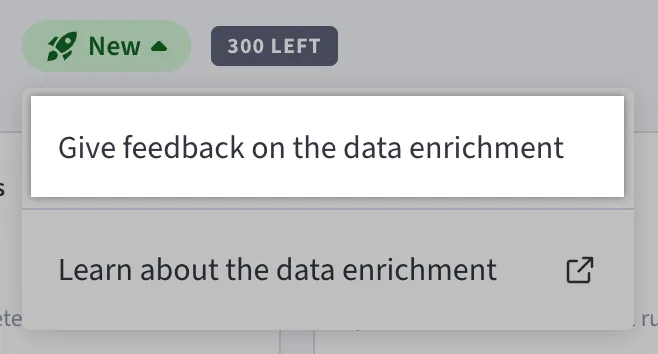
On the Enrichments page, open the New menu and choose Give feedback on the data enrichment. Feedback goes to the product team. For troubleshooting, contact BigCommerce support.
Measurement
How do I know whether it worked?
Baseline first, enrich one category, leave a comparable one alone, then compare the two after about four weeks on organic sessions, conversion rate, and revenue per visit. See Proving enrichment works.
How long before I see results?
On-site behavior changes as soon as content is live. Organic search takes weeks, because indexing and ranking do not respond immediately. Answer engine visibility is the slowest and least precise to measure.