

Recovering Abandoned Carts
BigCommerce offers a powerful cart recovery system to help merchants recover lost business by effectively converting abandoned carts into orders. Using BigCommerce’s built-in Abandoned Cart Saver tool, merchants can automate email campaigns to encourage customers to complete transactions after leaving items in their cart.
This article provides a high-level overview of how headless storefronts can leverage the Abandoned Cart Saver and BigCommerce’s APIs to recover abandoned carts.
Abandoned Cart Saver
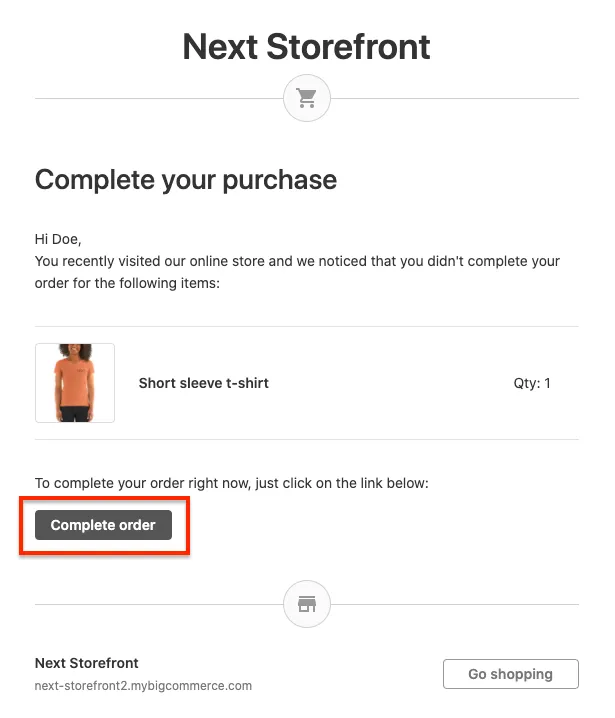
BigCommerce considers a cart abandoned when a shopper leaves the cart without attempting payment and the cart has been inactive for one hour. Abandoned Cart Saver emails contain a link that routes shoppers back to the cart page where they can complete the order.
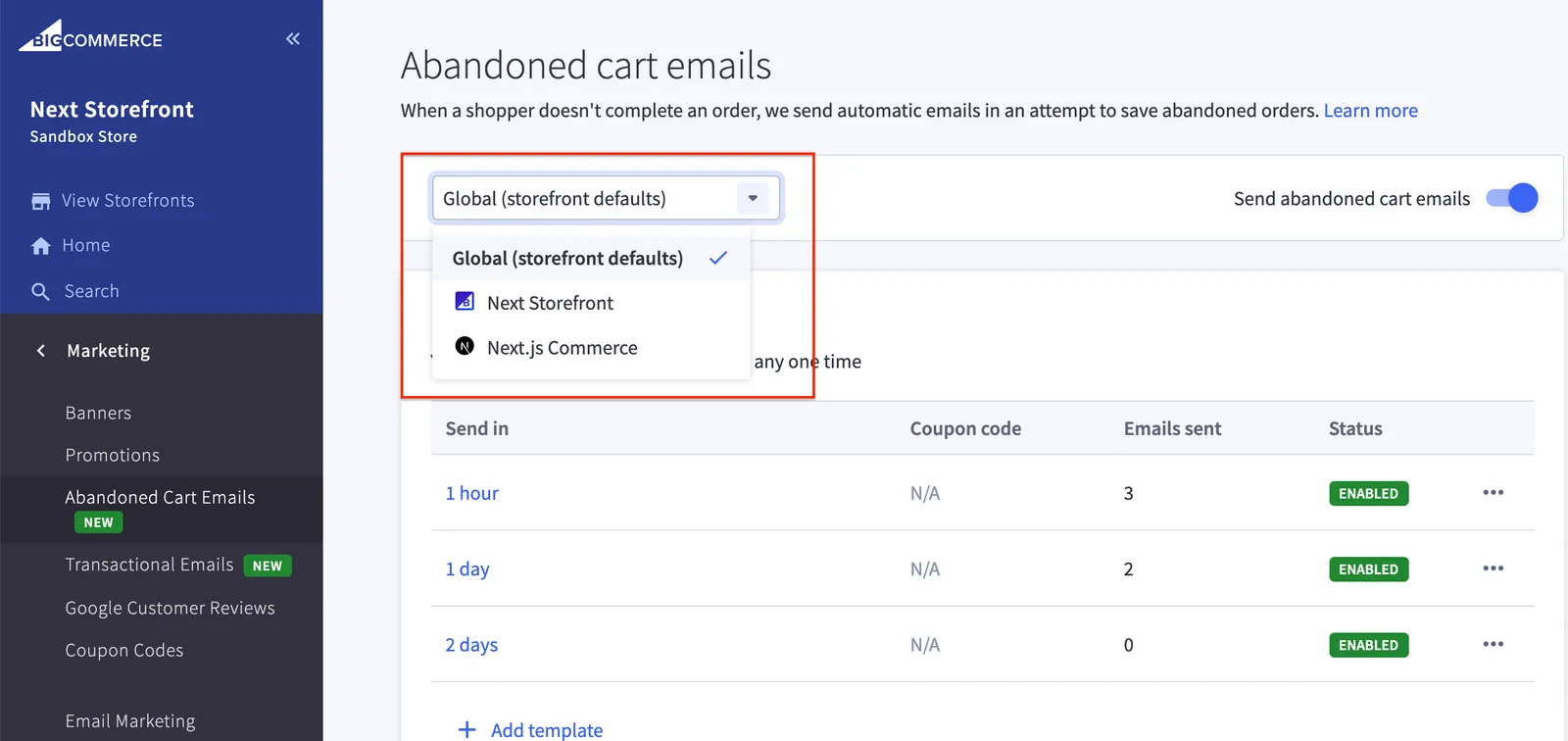
To enable the Abandoned Cart Saver notifications on your store, go to Settings > General > Miscellaneous in an active MSF-enabled control panel. To access your Abandoned Cart Emails settings, visit Marketing > Abandoned Cart Emails.
Triggering Abandoned Cart Saver notifications
The Abandoned Cart Saver will trigger under the following circumstances:
- Stencil stores: a logged-in customer adds an item to the cart, then leaves the store without attempting payment.
- Stores using Optimized One-Page Checkout: a guest customer adds an item to the cart, begins checkout by entering their email address, then leaves the store without attempting payment.
- Headless stores using custom checkout solutions:
- a logged-in customer with the
accepts_product_review_abandoned_cart_emailproperty set totruecreates a cart, then leaves the store without attempting payment. - a guest customer creates a cart and add his email address to the cart, then leaves the store without attempting payment.
- a logged-in customer with the
Setting up the abandoned cart route
The Abandoned Cart Saver email link points to the Stencil storefront (channel ID 1) by default. To point the Abandoned Cart Saver email link to your headless storefront, you need to set up a recover_abandoned_cart site route.
This operation requires a channel site ID. If you do not know your channel site ID, you can retrieve it by sending a GET request to the Get a Channel Site endpoint.
Request
Response
You can locate your channel ID by:
- going to Channel Manager > Storefronts in the control panel, clicking on … next to your headless storefront, and selecting Edit settings from the dropdown
or
- sending a
GETrequest to the Get All Channels endpoint.
To create a recover_abandoned_cart site route, send a POST request to the Create a Site Route endpoint.
Request
Response
To test the route creation, send a GET request to the Get a Site’s Routes endpoint. The response will contain all of the routes associated with your headless storefront’s domain.
Leveraging the Abandoned Carts API
The Abandoned Cart Saver email link contains a token in the form of a t parameter that you can use to call the Abandoned Carts API to get the corresponding cart ID. A headless storefront can then use this cart ID to request the cart details from the Carts API.
Abandoned Cart Saver email link example:
http://commerce-zr8y-teststore-bigcommerce.vercel.app/my-abandoned-cart-page/?t=305c6c15f6f0a3c0929770a538cf1ff7
To get the abandoned cart ID, send a GET request to the Get an Abandoned Cart endpoint.
The response will contain the corresponding cart ID.
Request
Response
To retrieve the cart details, send a GET request to the Get a Cart endpoint.
The response will contain the cart details.
Implementing cart recovery on headless storefronts
To trigger the abandoned cart recovery sequence, the cart must be associated with a channel ID and be aware of the shopper’s email address. Headless storefronts using custom checkout solutions can leverage BigCommerce’s Customers and Carts APIs to initiate the abandoned cart recovery sequence.
The following example demonstrates how a headless storefront can recover abandoned cart details without relying on Optimized One-Page Checkout.
-
Link your headless storefront to your sales channel by sending a
POSTrequest to the Create a Site endpoint.Example request: Create a site -
Using the Site Routes endpoint, create a
recover_abandoned_cartroute.Example request: Create a site route
Create cart with customer
-
To create a customer, send a
POSTrequest to the Create Customers endpoint. In the request body, setaccepts_product_review_abandoned_cart_emailstotrueto enable Abandoned Cart Saver notifications. This will create a customer account optimized to receive Abandoned Cart Saver emails.Example request: Create customers -
Send a
POSTrequest to the Create a Cart endpoint to create a cart. Include the customer ID and channel ID in the request body so that the URL inserted in transactional emails contains the correct site and routes.Example request: Create a cart
Create cart with guest customer
-
Send a
POSTrequest to the Create a Cart endpoint to create a cart.Example request: Create a cart -
Send a
POSTrequest to the Add Checkout Billing Address endpoint to add checkout billing address. Include the email address in the request body so that the abandoned cart saver notification could be triggered.Example request: Add checkout billing address
This request creates a cart associated with the headless storefront without using BigCommerce’s Optimized One-Page Checkout. Because the checkout is incomplete, the store treats this cart as abandoned and initiates the abandoned cart recovery sequence.