

Locating the ID of an APP
Select partners building channel apps need to know their app’s ID in order to create and modify the channel’s configuration. This tutorial demonstrates how to find an app’s ID in the Developer Portal and the control panel.
Find in control panel
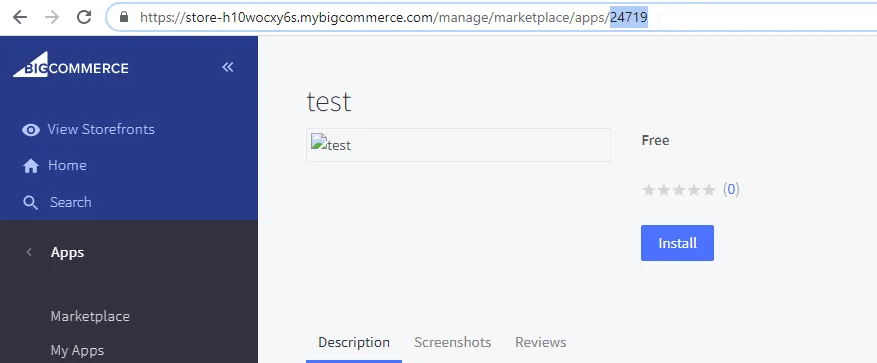
An app’s ID can be found in the URL while on the app’s page in a store’s control panel. The location of the app’s page depends on if the app is installed or uninstalled.
-
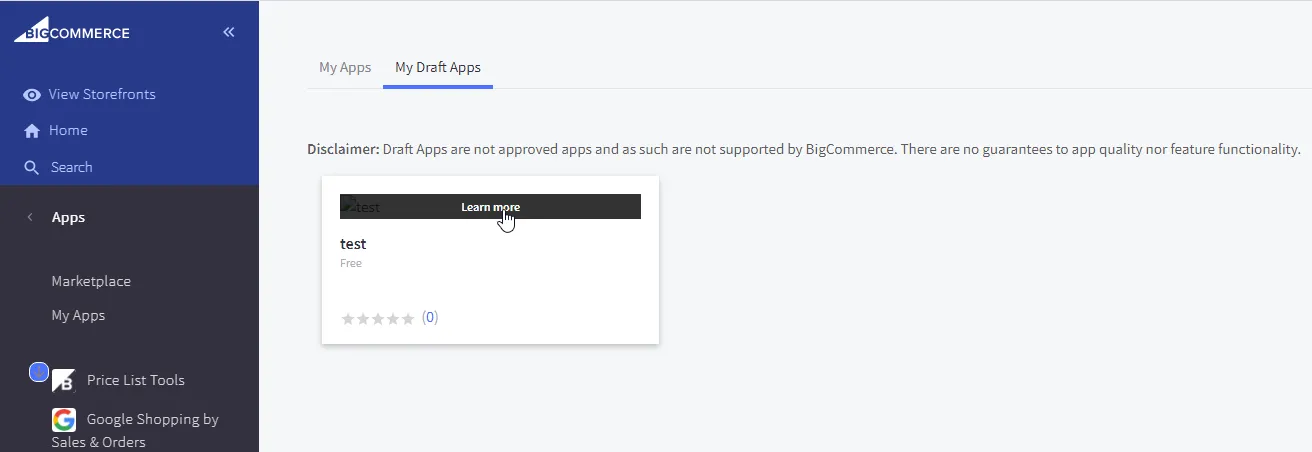
Uninstalled Draft Apps: Apps > My Apps > My Draft Apps
-
Installed Apps: Apps > My Apps
To open the app page, click the app:
The app ID is in the URL after /manage/marketplace/apps/:
Find in Developer Portal
To find an app’s ID in the Developer Portal:
-
Sign in to the Developer Portal.
-
Click Edit App.
-
Identify the app’s ID is in the URL (ex:
/apps/{APP_ID}/summary?review=false).
Usage
Once you obtain the app ID, you can use it to create or modify the app configuration for a channel using the Create a channel or Update a channel endpoint.