For AI agents: a documentation index is available at the root level at /llms.txt and /llms-full.txt. Append /llms.txt to any URL for a page-level index, or .md for the markdown version of any page.
Dev Portal
DocsAPI ReferenceLearnCommunityChangelog
  • Overview
    • Quick Start
    • Sandboxes
    • Tools & SDKs
    • Support
  • Docs
      • Getting Started
        • Overview
            • Developing Accessible Themes
            • WCAG Compliance Levels
            • Implementing WCAG Guidelines
        • B2B Edition for Stencil
    • Archive
    • Closed Beta Programs
Dev Portal
LogoLogo
On this page
  • Bypass blocks
  • Location
  • Unusual Words
DocsStorefrontStencilThemesAccessibility

Implementing WCAG Guidelines - Examples

Was this page helpful?
Previous

WCAG Compliance Levels

Next

Localizing Stores

Built with

This article provides Cornerstone code snippets which satisfy current WCAG guidelines or code you can add to meet a WCAG requirement.

Bypass blocks

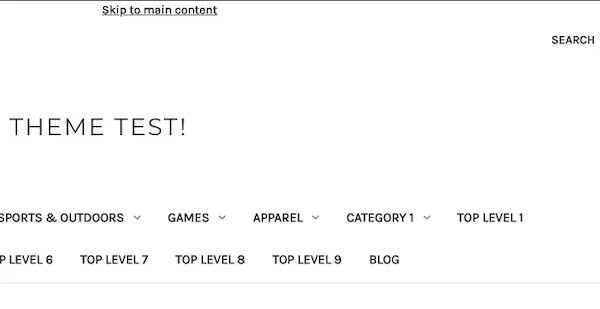
To satisfy the bypass blocks WCAG guideline, Cornerstone has a ‘Skip to Main’ link on each page. You can find this code in /templates/components/common/header.html.

{{lang 'header.skip_to_main'}} {{#if banners.top}}
{{#each (limit banners.top_metadata 1)}}
{{{this.content}}}
{{/each}}
{{/if}}

HTML output

Skip to Main

Location

To satisfy the Location WCAG guideline, Cornerstone provides breadcrumbs on each page. See an example of breadcrumbs in /templates/components/common/contact-us.html.

{{#partial "page"}} {{> components/common/breadcrumbs breadcrumbs=breadcrumbs}}
{{#unless theme_settings.hide_contact_us_page_heading}}

HTML output

Breadcrumbs

Unusual Words

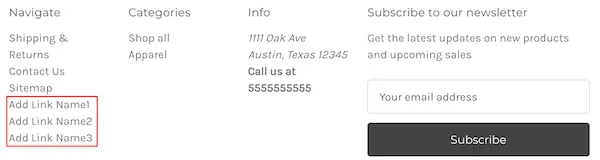
To satisfy the unusual words WCAG guideline, add links to your footer categories section in your theme. We recommend adding links using your store’s BigCommerce control panel. Insert a script in the Storefront > Script Manager field. Example code is provided below. Replace each /page-link/ and Add Link Name with the actual links and names.

<script type="application/javascript" src="//ajax.googleapis.com/ajax/libs/jquery/1.7.2/jquery.min.js"></script>
<script>
$(document).ready(function(){
$("footer article[data-section-type='footer-webPages'] ul").append("<li><a href='/page-link1/'>Add Link Name1</a></li><li><a href='/page-link2/'>Add Link Name2</a></li><li><a href='/page-link3/'>Add Link Name3</a></li>")
});
</script>

HTML output

footer categories