Elements
Theme settings element types used in schema.json to configure the Theme Editor UI.
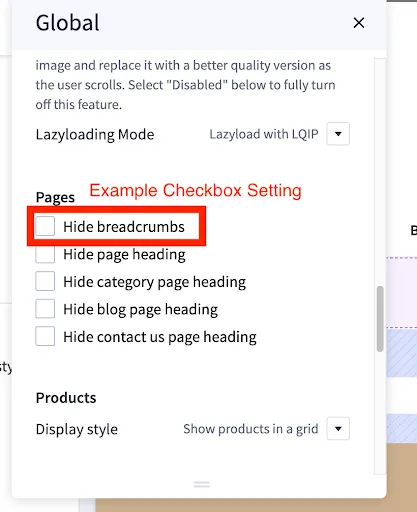
checkbox
Used to toggle on theme settings (boolean value).
Required fields: type, label, and id.
Optional field: force_reload.
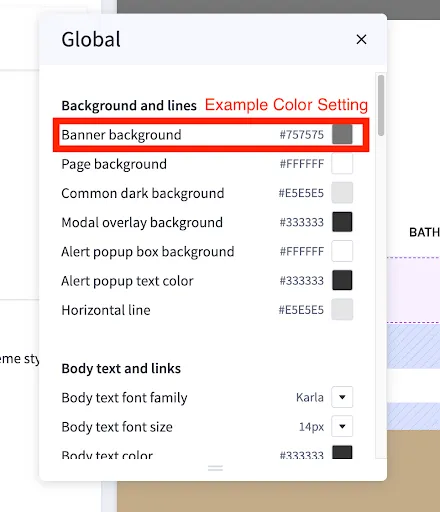
color
Used to set color value on theme setting (hex value).
Required fields: type, label, and id.
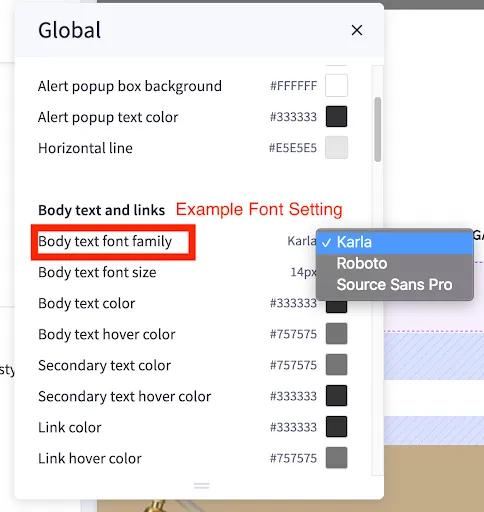
font
Used to select font value on theme setting.
Required fields: type, label, id, and options.
Optional field: force_reload.
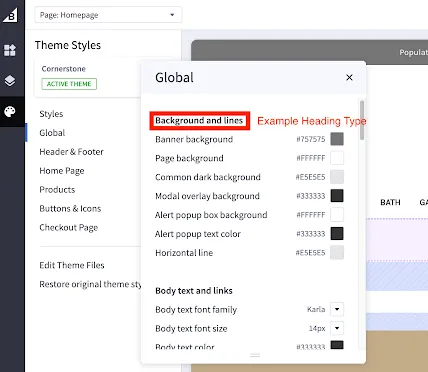
heading
Required fields: type and content.
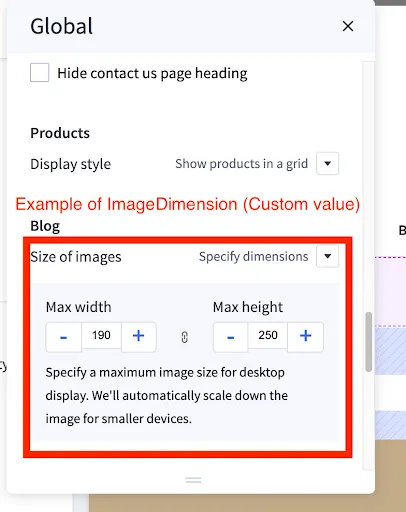
imageDimension
Used to set image ratio on theme setting.
Required fields: type, label, id, and options.
“custom” value option will allow users to specify the width/height. Else, use values set by the theme developer. An example image follows
optimizedCheckout-image
Upload a custom logo to checkout when using optimized one-page checkout.
reference
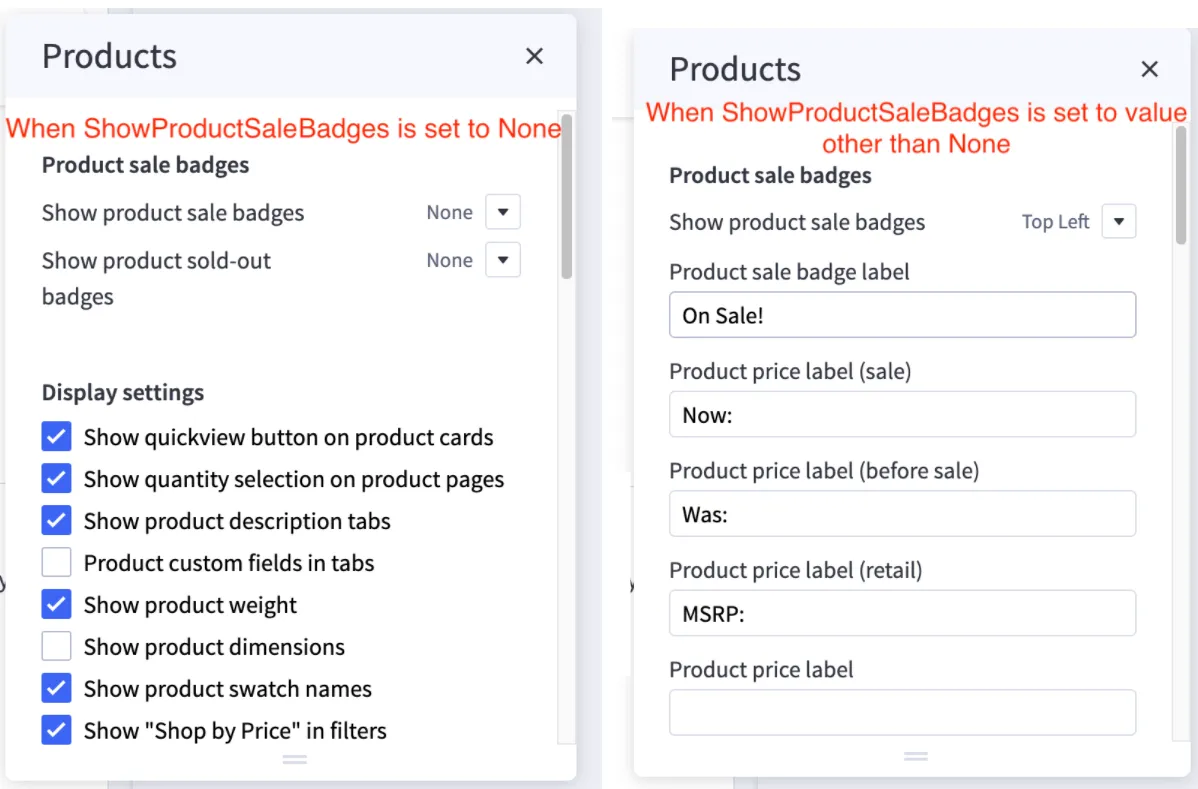
The reference field on a setting can show additional settings based on the value of another setting. For example, we may want to hide the Product Sale Badge Label setting if Show product sale badges setting equals none.
In this example, you can see that when ShowProductSaleBadges equals none, the ProductSaleBadgeLabel text setting is hidden. But when ShowProductSaleBadges has a value other than none, ProductSaleBadgeLabel text setting displays.
The reference field is added to the setting you want to toggle the display of based on a value (so in this example ProductSaleBadgeLabel). The value for reference should be the id of whichever setting you are referencing (so in this example product_sale_badges).
The reference_default field should be set to the value the setting wants to reference. In this case, none will set the ProductSaleBadgeLabel hidden until ShowProductSaleBadges changes in value.
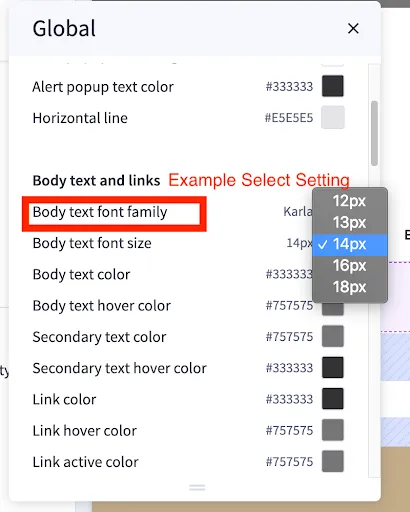
select
Used to select custom value on theme settings.
Option types should all be the same (i.e., string, number, etc.).
Required fields: type, label, id, and options.
Optional field: force_reload.
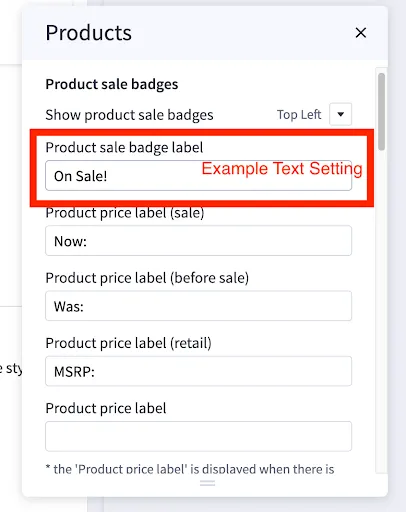
text
Used to set string value for theme settings.
Required fields: type, label, and id.
Optional field: force_reload.