

Extending Sales Channel Apps with Channels Toolkit
This article provides a guide to partners who would like to update or replace their existing sales channel apps to leverage new functionality available via Channels Toolkit.
Step 1: Update API credentials
Existing sales channel apps need app credentials with updated OAuth scopes to authenticate and authorize requests to Channels Toolkit APIs. Log in to the Developer Portal to update your app’s credentials. Channel APIs require the following scopes:
See our Guide to API Accounts for more information on app credentials.
Step 2: Integrate channel API
To be visible in Channel Manager once installed, apps must meet certain requirements. All channel apps are required to use BigCommerce’s Channel API. Select partner apps have additional Channel API implementation requirements to facilitate being marketed in Channel Manager.
All partners
-
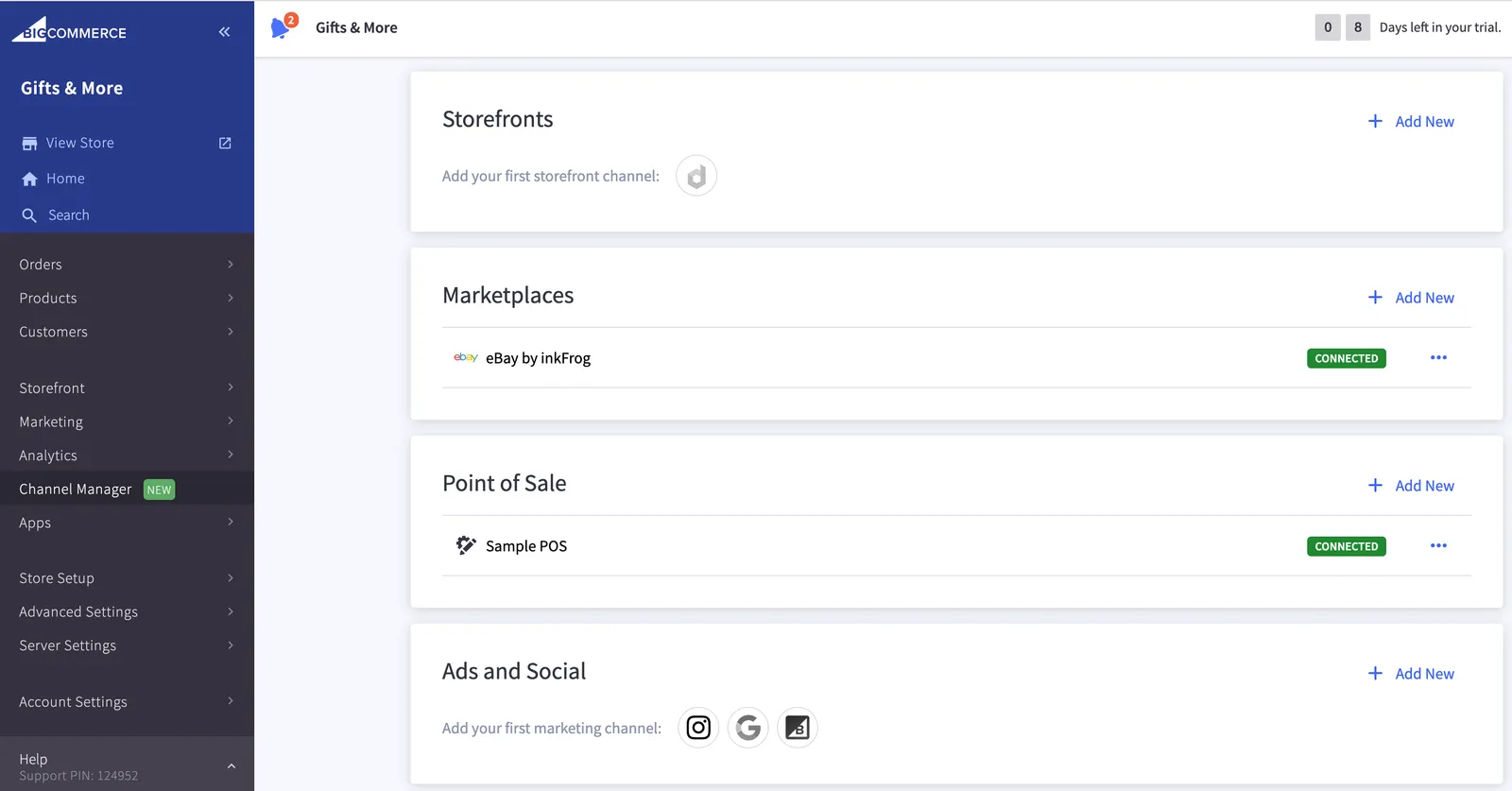
Create a Channel (for each platform the app enables a merchant to sell on) - this enables the channel to be displayed within the “Manage” screen in the new Channel Manager for merchants, once the app has been installed.
-
Create a Channel request must include
app_idat a minimum in the app config object.
Channel manager example
Select partners
-
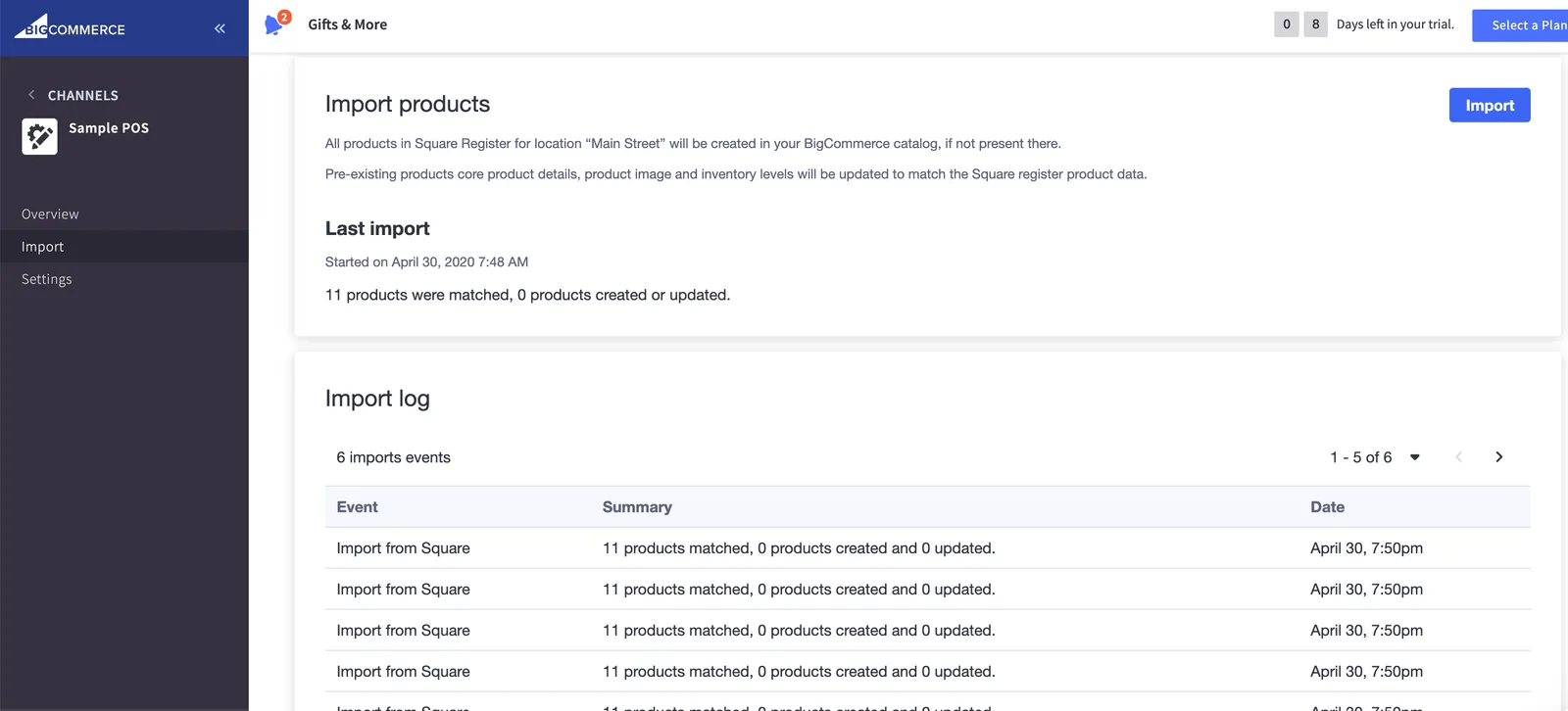
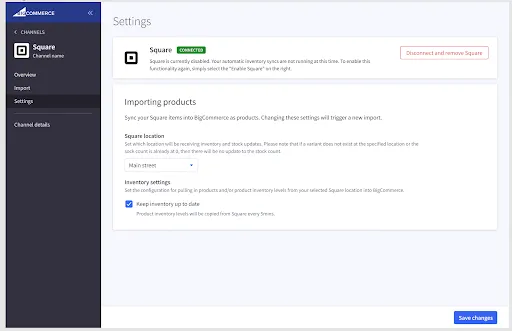
Update UI to use BigDesign and the general design patterns and user flows demonstrated in the sample app (shown in the screenshots below) with channel name, icon, and menu nav sections.
-
Include sections in the Channel API request in the app config object.
Channel app import section
Channel app settings section
Step 3: Migrate existing data
- Channels - Register a channel for all existing merchants using the app.
- Orders - Add
channel_idwith the corresponding channel ID for the merchant and which channel the order was placed on, if orders are synced to BigCommerce. - Listings (optional) - Create channel specific product listings. This is primarily necessary for storefronts, marketplaces, and marketing type of channels.
App requirements
Although the sample app shown in the screenshots above is for a point of sale integration, we’ve designed Channels Toolkit to be flexible enough to build any type of sales channel app, and each type of channel app has its own specific requirements centered around ensuring performance and user experience best practices.
The above “updating existing app” data applies; however, non-POS channel apps are not necessarily required to use the same sections and user flows shown in the example app screenshots.
Storefronts
All Partners:
- Add usage of Sites and Routes API so that links generated within BigCommerce, such as “view storefront” and links sent in transactional emails to shoppers, will use the headless storefront’s correct URL.
Marketplaces and marketing
All Partners:
- Must use Listings API if supporting per product listings.
Sample configuration
To create or modify a channel app’s configuration, send a POST or PUT request to /stores/{{STORE_HASH}}/v3/channels:
Properties
Accepted Platforms and Types See the list of Channels Platform types in the Channels API reference.
We discourage using google_shopping as BigCommerce has deprecated this platform. Instead, we have added support for marketing and marketplace types on the google platform.
For a complete Channel API reference (including request schemas and property descriptions), see: API Reference Channels and Listings.
Terminology
Select partners have slightly more stringent requirements for their sales channel apps due to the high visibility and marketability of their apps directly within the BigCommerce control panel.
For a high-level overview and more information on Channels Toolkit, see Channels Overview.
Related resources
Articles
- Channels Overview
- Building Channel Apps
- Becoming a Partner
- Types of Apps
- Guide to API Accounts
- Building an App
- App Store Approval Requirements