

Stored Credit Card Management
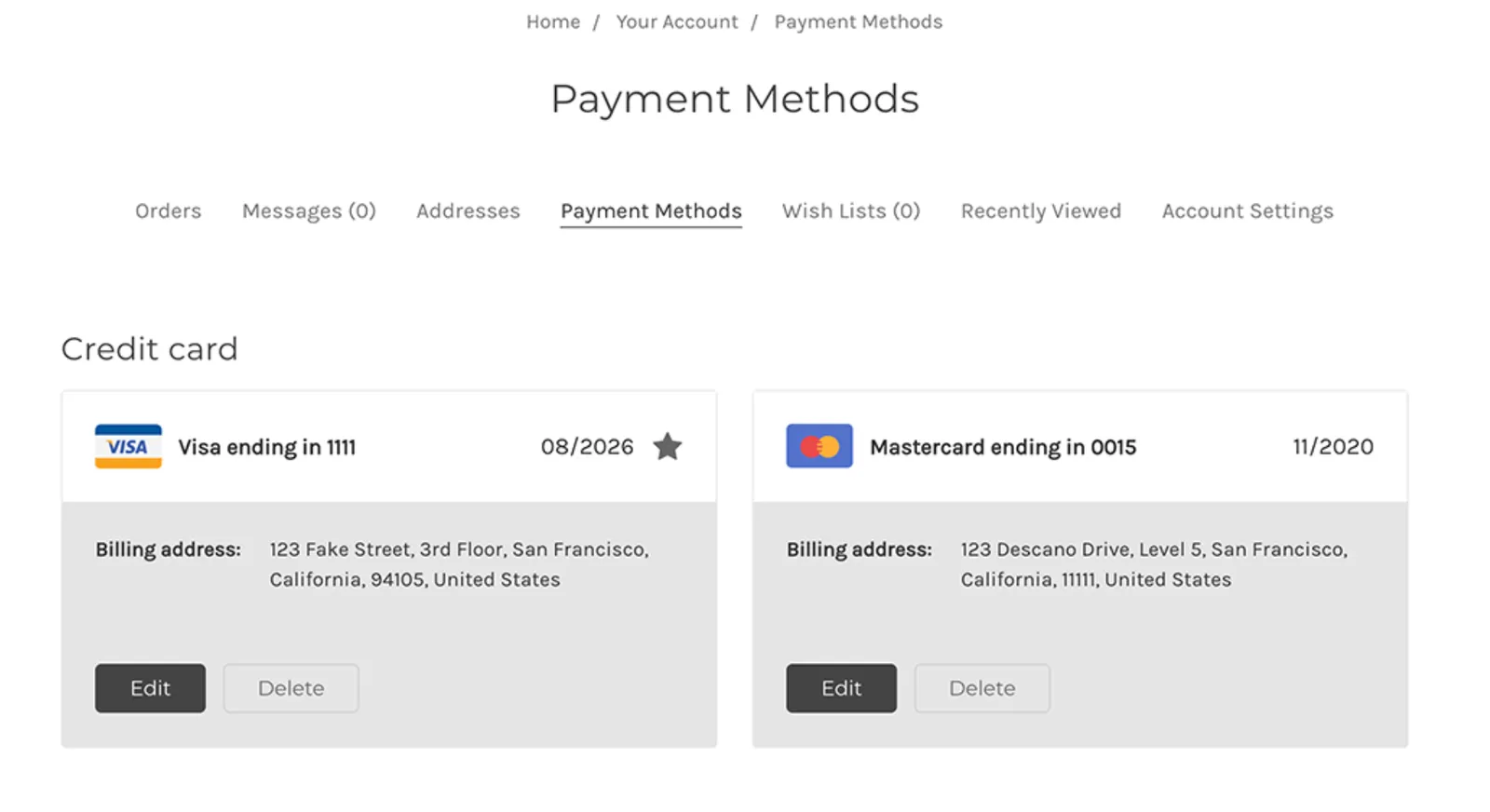
Stored Credit Card management gives customer’s the ability to manage their stored credit cards from the My Account page of the storefront. In the Cornerstone theme, shoppers with store accounts will have the ability to add new cards, delete cards, select a default card, and edit the billing details of existing cards from their customer account area of the storefront.
Theme Versions
Cornerstone versions 2.6.0+ include the ability to manage Stored Credit Cards (BigCommerce Support).
Prerequisites
- Store must be on a Growth plan or higher.
- Store needs to be using a compatible payment gateway:
- PayPal powered by Braintree
- Cybersource
- Authorize.net
- Stripe
- Paymetric
Adding Stored Credit Card Management
Stored Credit Card Management was added to Cornerstone in pull request #1376. To add Stored Credit Cards to pre-2.6.0 Cornerstone or Marketplace themes, copy the changes from PR #1376 to your theme. This section will walk through each individual commit, highlighting the changes that you will need to make to your template files.
Add Payment Methods Page
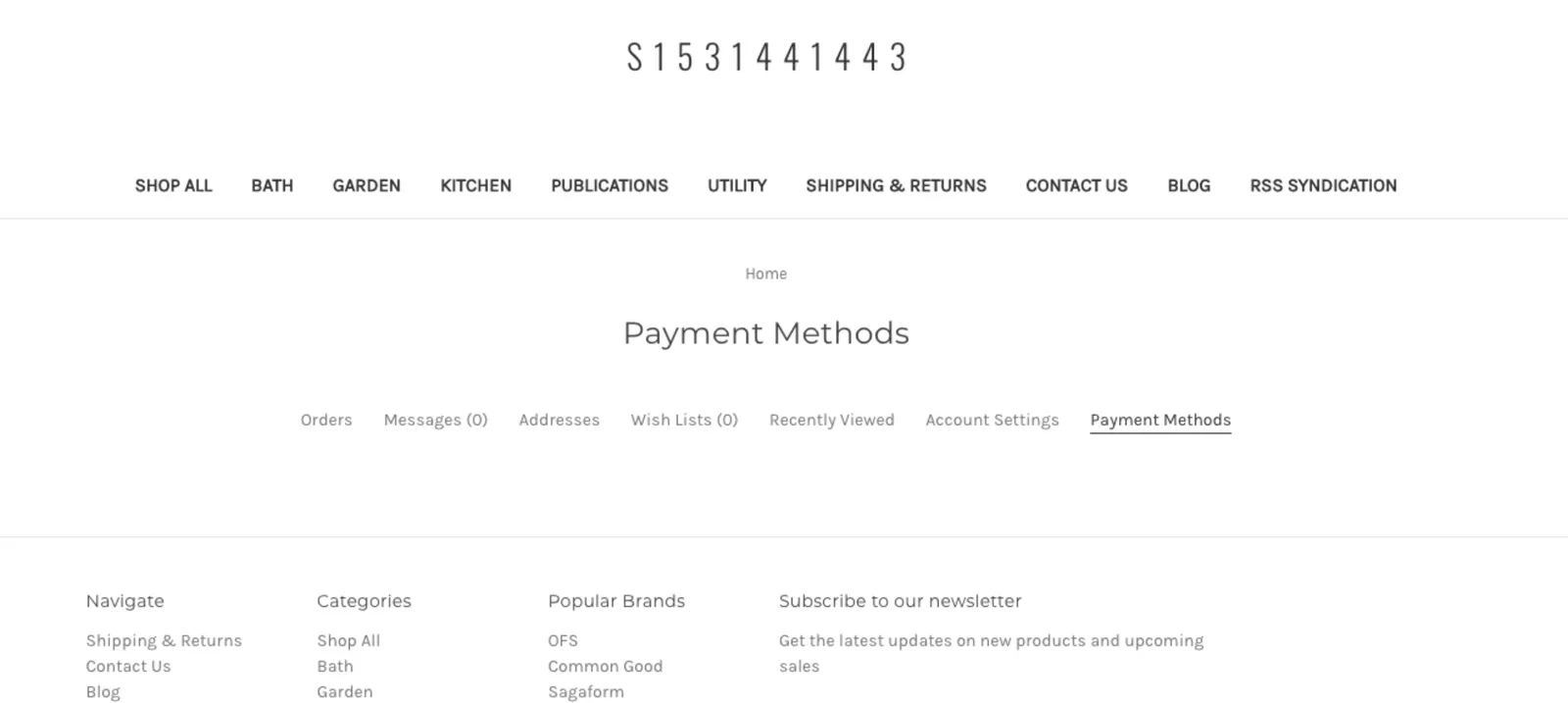
- Create the new Payment Methods page on a shopper’s account by editing the following files:
lang/en.jsontemplates/components/account/navigation.htmltemplates/pages/account/payment-methods.html
Add Translations
- Makes the Payments Method page translatable by modifying the following:
lang/en.jsontemplates/components/account/navigation.htmlfiles
Include Credit Card Listing
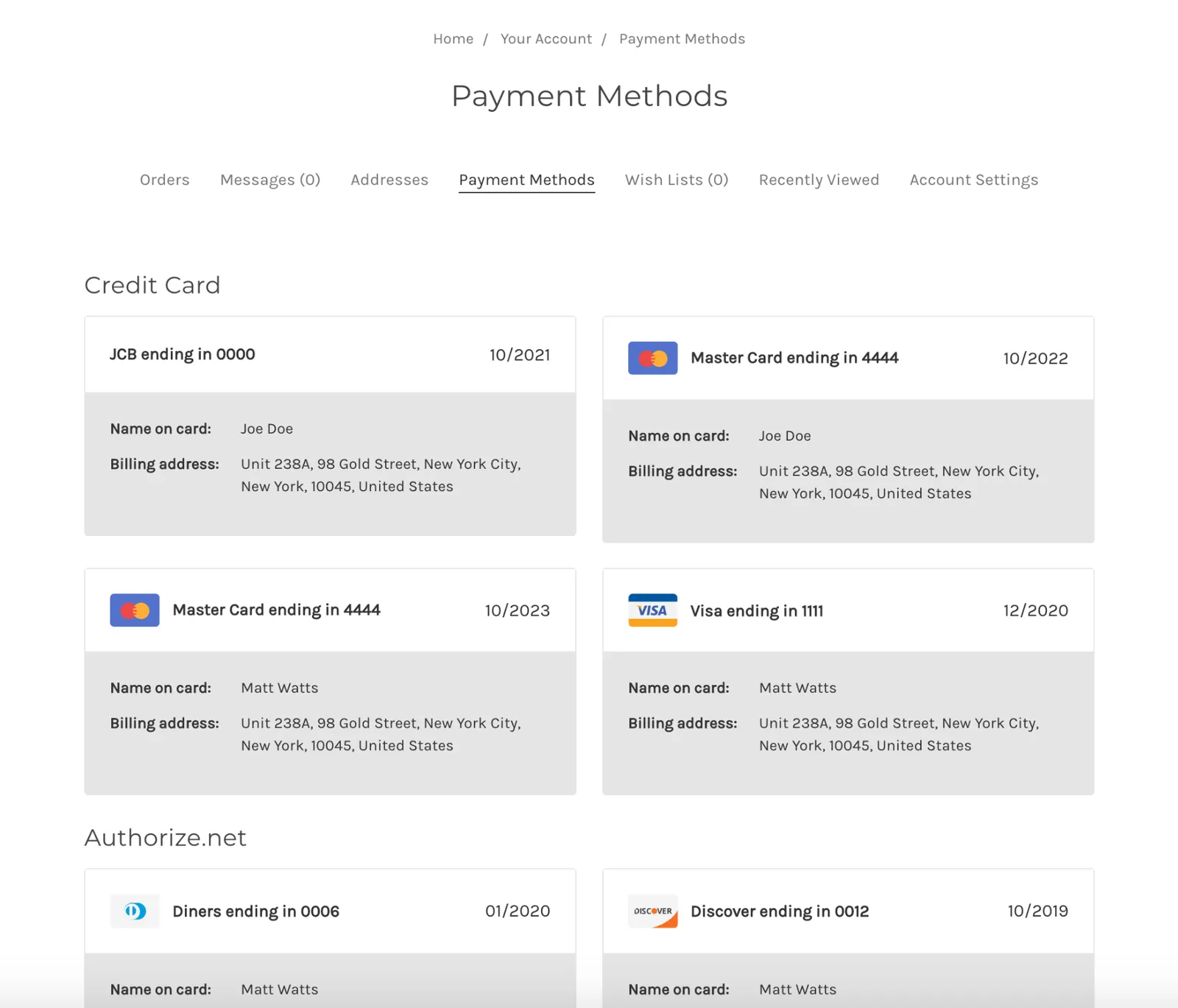
- Group the credit cards by payment providers
- Include the payment method icons
- Account for mobile and desktop layouts
- Account for translations
Icons have been used to identify the credit card type. The data only provides the card brand in the credit card details.
Implement Delete Payment Method
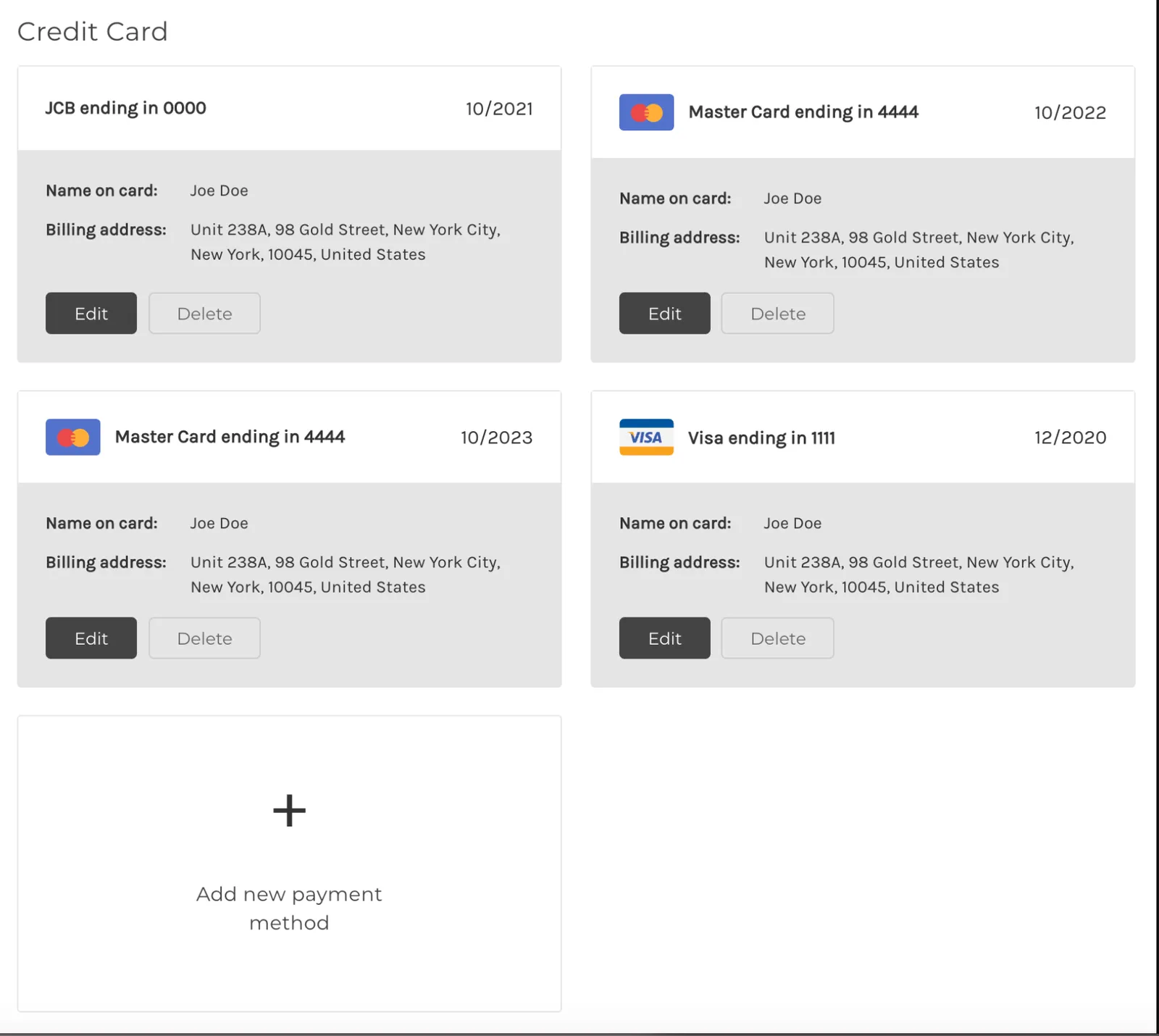
- Bind the delete button’s front end and back end
First, the click will trigger window confirm. The confirmation modal has been added to prevent unintended action. Then, on confirming, a post request will be sent. The action is initiated through a localized form post request in the template which uses a delete_url key provided in the credit card details data. Finally, there will be a redirect to the credit card listing.
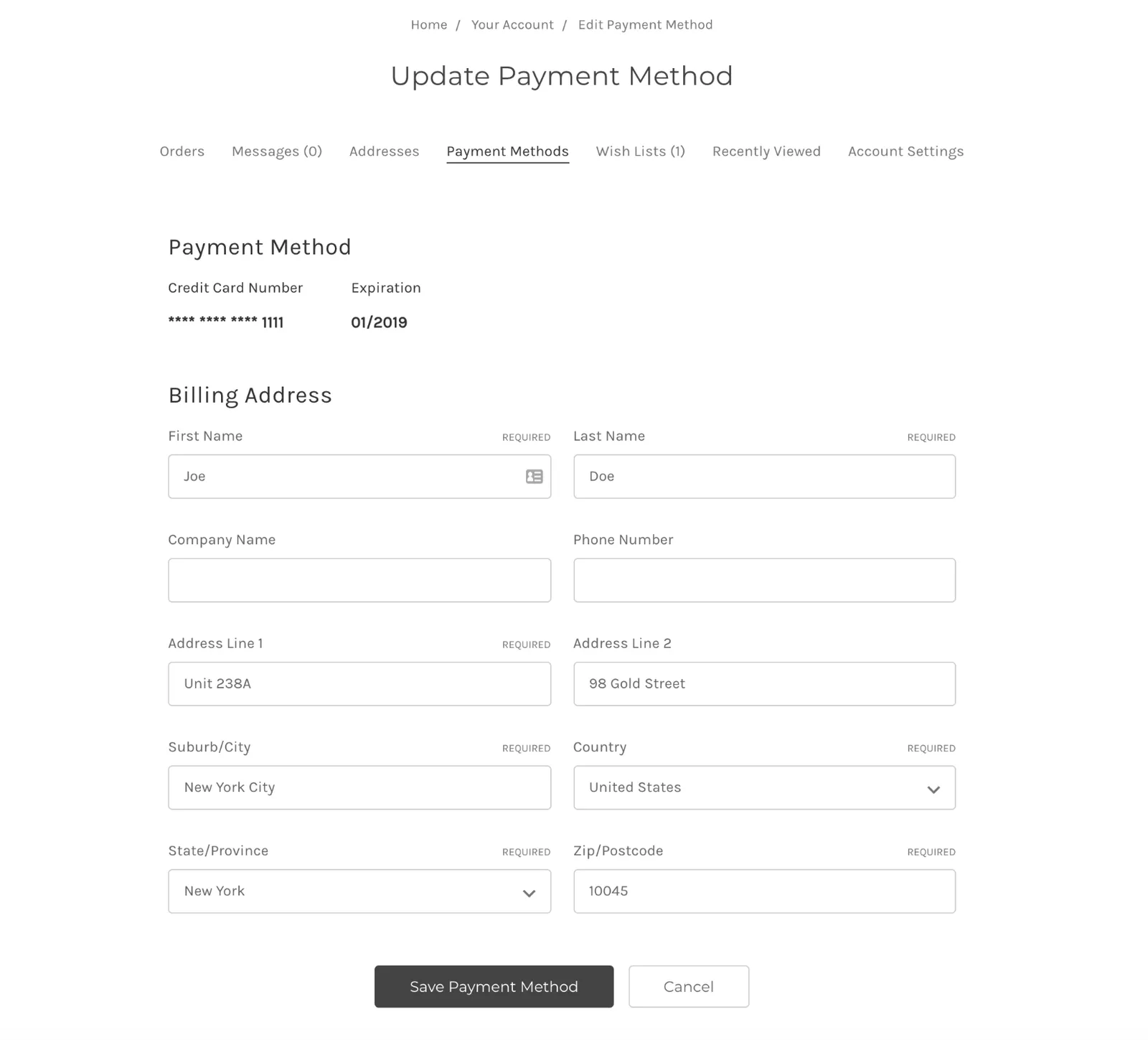
Implement Edit Payment Method
- Add the design for credit card details and the edit billing address form, synced with existing address fields validation
The action is initiated via a redirect to the edit page. The page uses HTML, CSS, and JavaScript for the billing address validation. The “name on card” label and values are also removed, as we do not store name along with the vaulted credit card. The full edit-payment-method.html can be viewed in the Cornerstone GitHub Repo.
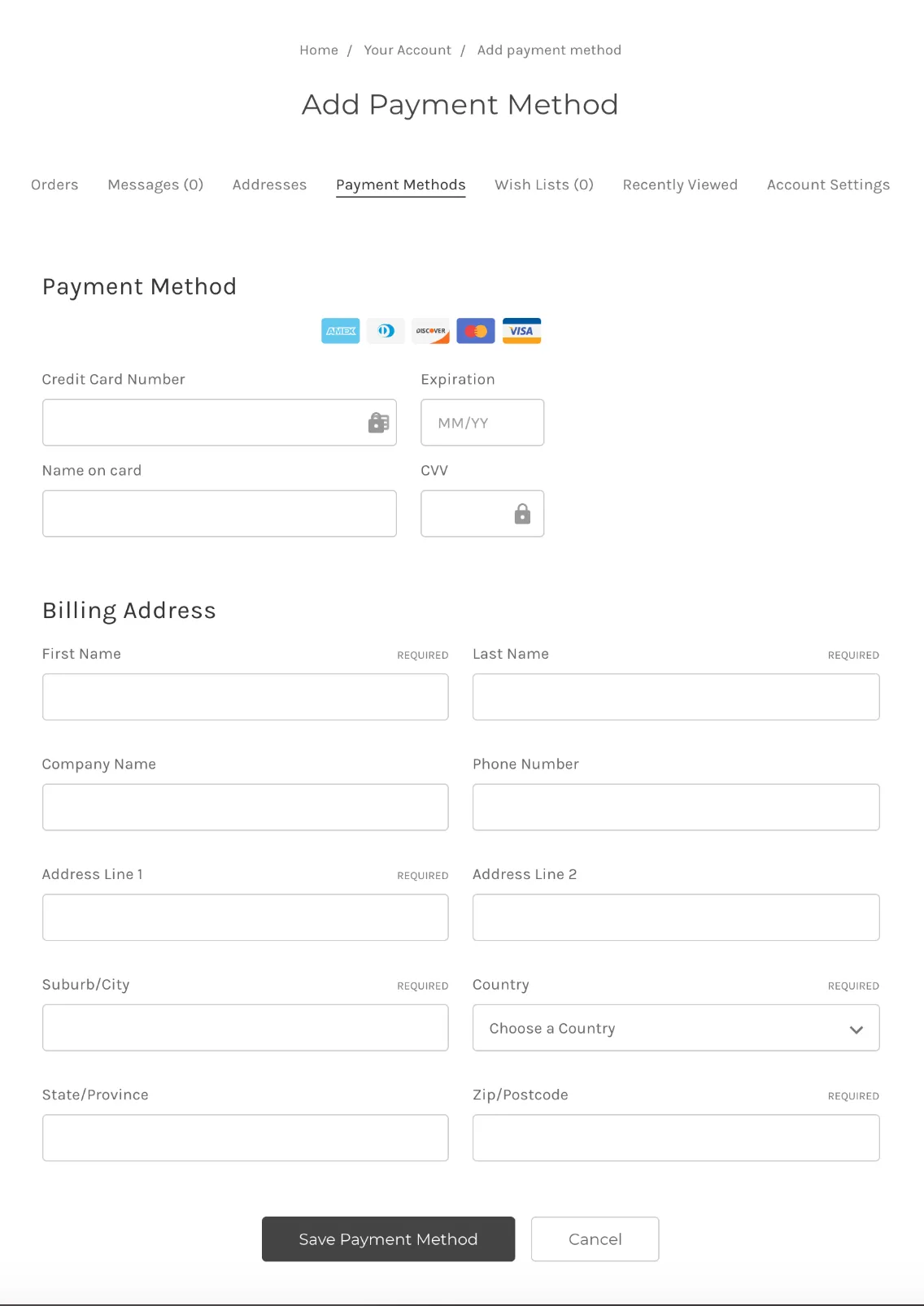
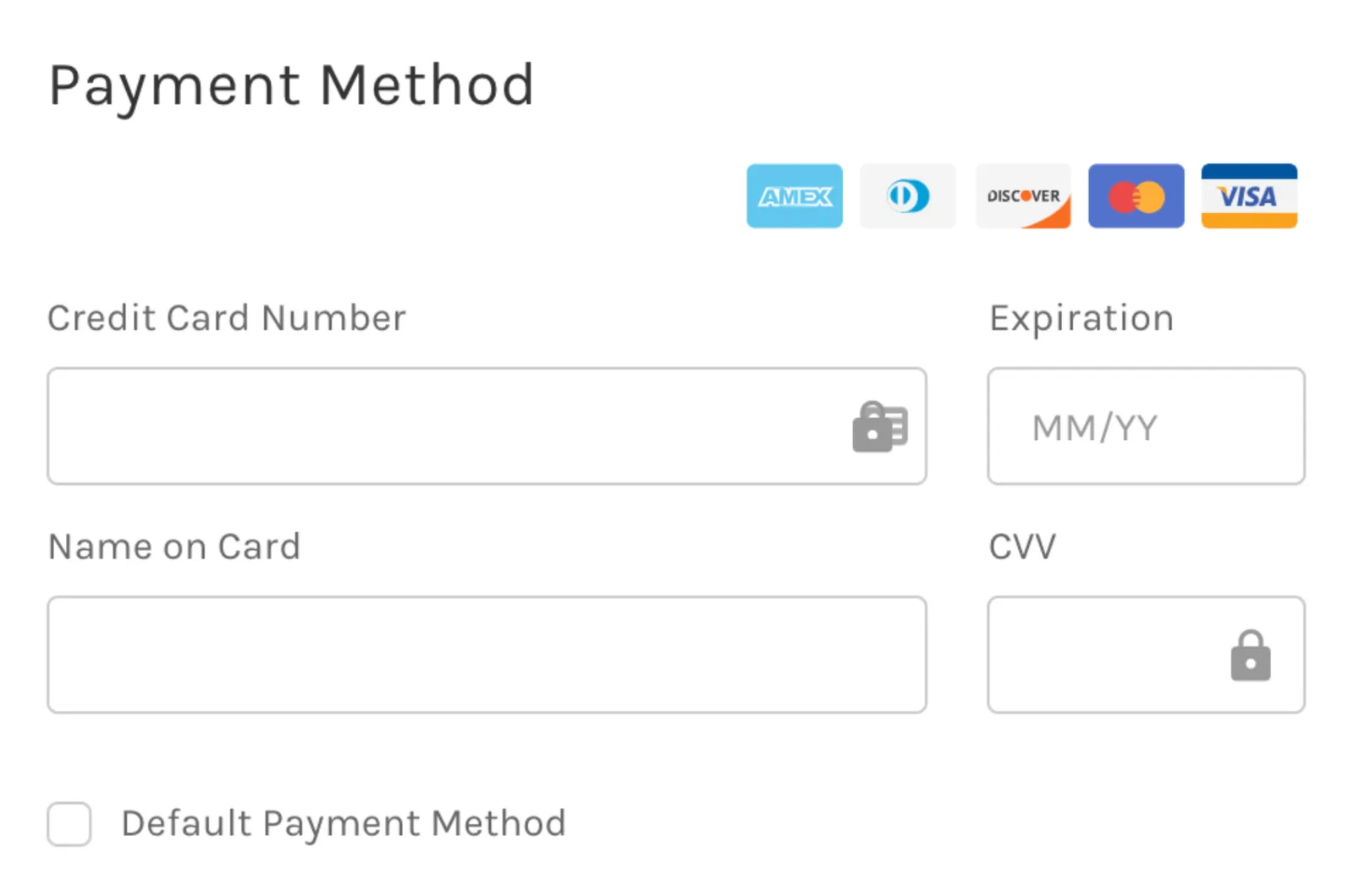
Implement Add Payment Method
- Adding new icon
lock.svg - Unify the CSS classes for the add and edit form.
- Add a new template for edit form with an injection of global variables into context.
- Extend the
account.jsfile with a new method to initiate credit card and billing address fields validations, mapping form fields name and value to body request. - Add a
payment-method.jsfile for credit card validations and helpers with unit test.
The add form will use ajax to validate and submit the credit card details (this differs from the way the edit form validates and submits). The payment-method.js file has been designed to be dragged and used in themes to simplify its implementation.
The add-payment-method.html template also requires some customization because variables need to pass through handlebars in order to be used by JavaScript. From line 20 to 25 of the template, we store variables, mostly for building the request url and header. The request body will directly use the form data. More validations and extra mapping are added to the add-payment-method.html template as well.
Utilizing GitHub Automation to Merge the Changes
Since this feature involves heavy code changes, it may be easier to merge the necessary code into your theme by utilizing GitHub’s automated process for syncing a fork. See GitHub’s documentation on Syncing a Fork for more details on this method.
FAQ
Where is the card data stored?
Card data is stored securely with the payment gateway.
Is storing credit cards PCI compliant?
Card data is stored securely with the payment gateway. The BigCommerce store is NOT storing the payment data.
Can shoppers modify their stored card?
After adding a card, shoppers will only be able to modify the billing address. If other credit card details need to be modified (such as expiration date), the shopper must delete and re-add the card.
Resources
Related Articles
- Payments API
- Enabling Stored Cards (BigCommerce Knowledge Base)
- The Complete Guide to Checkout Customization on BigCommerce (Developer Blog)