For AI agents: a documentation index is available at the root level at /llms.txt and /llms-full.txt. Append /llms.txt to any URL for a page-level index, or .md for the markdown version of any page.
Dev Portal
DocsAPI ReferenceLearnCommunityChangelog
  • Overview
    • Quick Start
    • Sandboxes
    • Tools & SDKs
    • Support
  • Docs
      • Getting Started
      • Becoming a Partner
        • Introduction
        • Quick start
        • Channels toolkit reference
      • Metafields
      • Scripts
      • Shipping Providers
      • Tax Providers
    • Archive
    • Closed Beta Programs
Dev Portal
LogoLogo
On this page
  • Prerequisites
  • Create a channel
  • Create a channel with navigation
  • Related resources
  • Articles
  • Endpoints
DocsIntegrationsChannels

Building Channels Quick Start

Was this page helpful?
Previous

Introduction

Next

Building Channel Apps

Built with

This advanced, quick-start tutorial is for BigCommerce partners wishing to market their solution within Channel Manager’s Create Channel flow. For an introduction to channels on BigCommerce, see Channels Overview.

Prerequisites

  • Experience building apps
  • Familiarity with Channels Toolkit

Create a channel

Apps selected as solutions within the Create Channel flow must generate a basic channel. This setup automatically links the app to the newly created channel, allowing it to appear in the Channel Manager as managing a specific channel. It also enhances the app’s native look and feel for merchants. To modify UI sections, use the Create a channel menu endpoint.
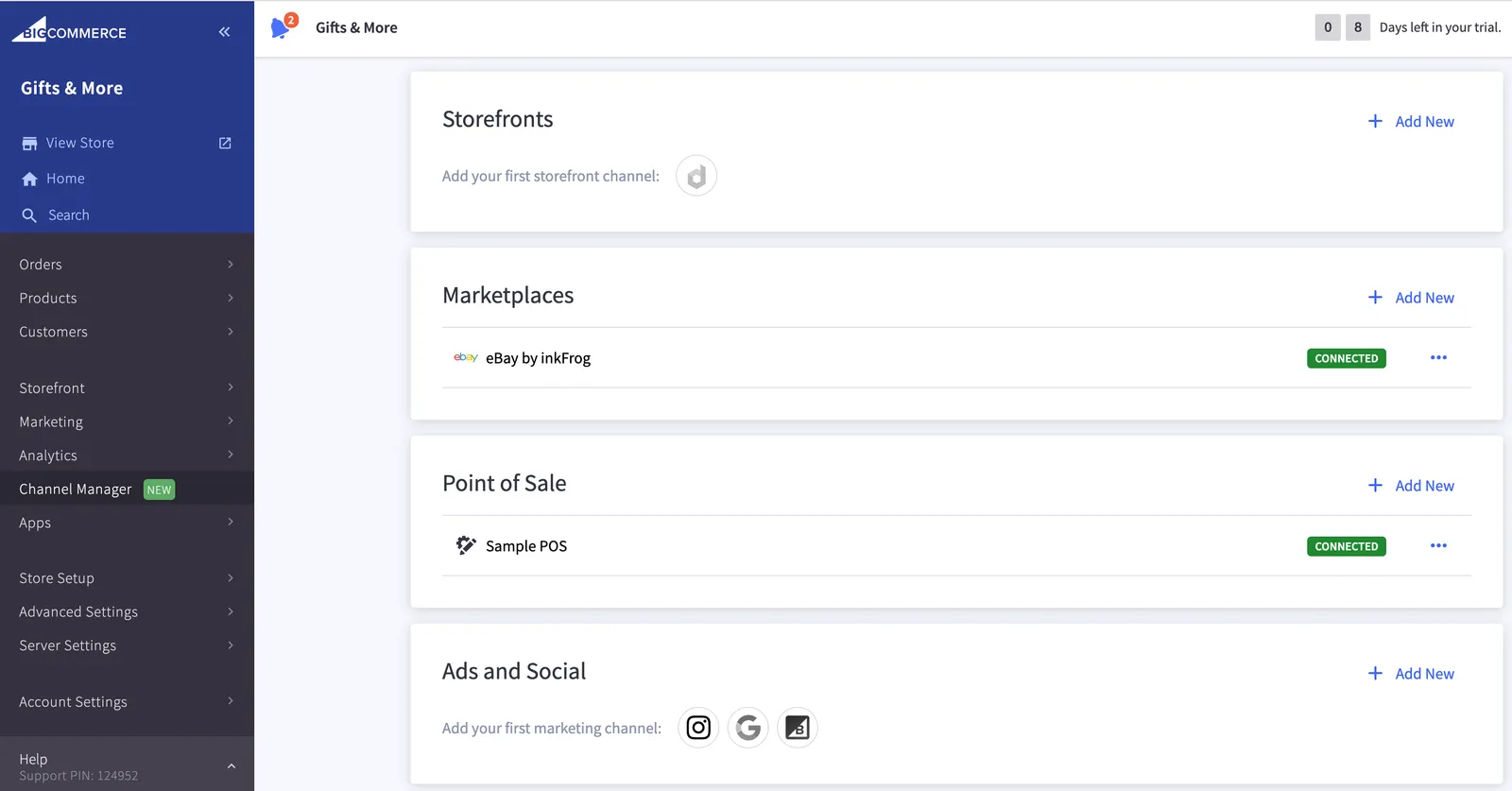
Channel Manager

To create a channel, send a POST request to /v3/channels.

Example request: Create a channel
POST https://api.bigcommerce.com/stores/{{STORE_HASH}}/v3/channels
X-Auth-Token: {{ACCESS_TOKEN}}
Content-Type: application/json
Accept: application/json
{
"name": "Solution Name",
"type": "storefront",
"platform": "drupal",
"external_id": "",
"is_enabled": true,
"is_listable_from_ui": true,
"is_visible": true
}
  • For a list of accepted type and platform values, see Channels API Reference.
  • For instructions on finding your app’s ID, see Find and App’s ID.

Create a channel with navigation

We recommend that apps also create navigation sections to better integrate the app’s interface within the BigCommerce control panel.
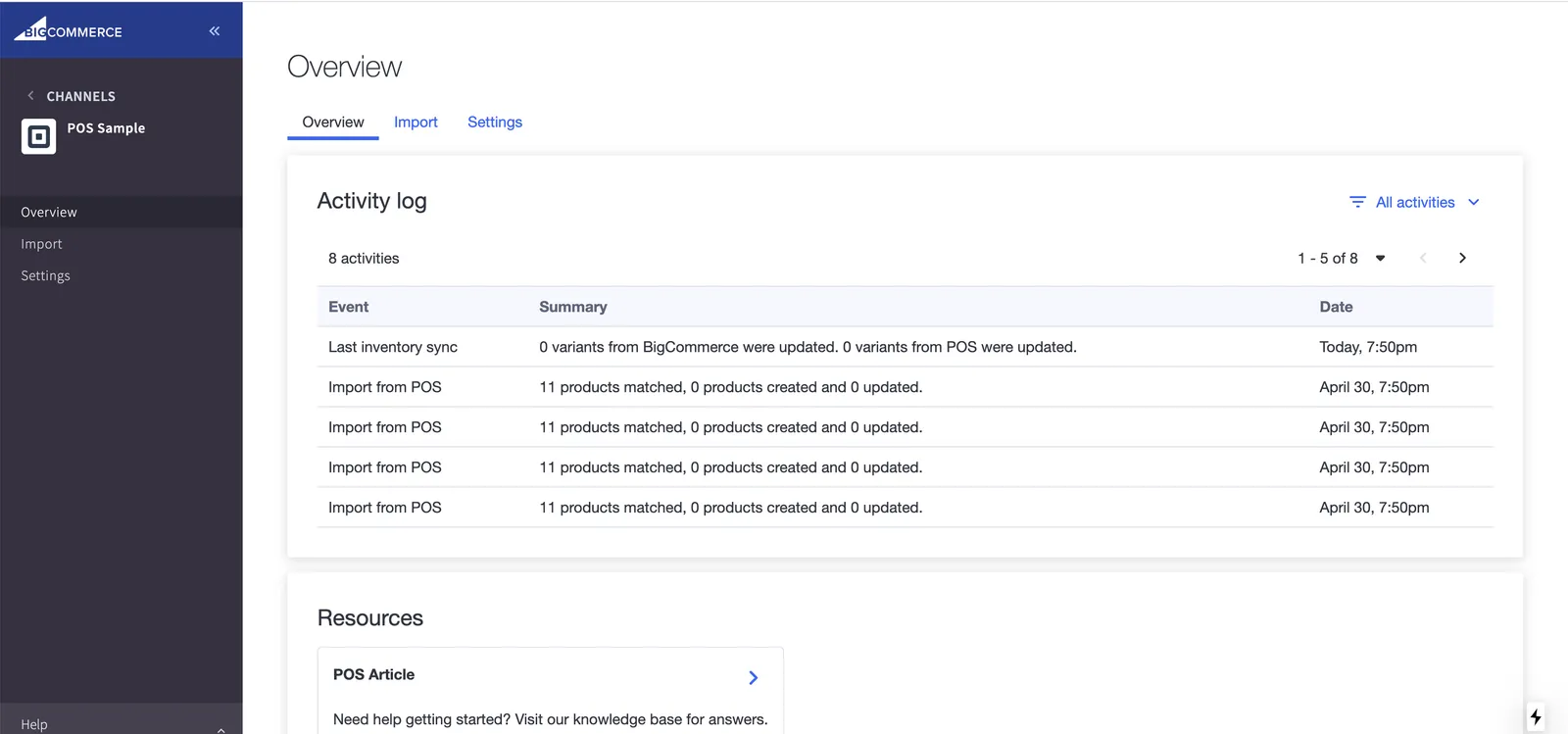
Channel Settings Overview Tab

To create a channel with navigation, use the Channel Menus API after creating a channel record.

Example request: Create channel menus
POST https://api.bigcommerce.com/stores/{{STORE_HASH}}/v3/channels/{{CHANNEL_ID}}/channel-menus
X-Auth-Token: {{ACCESS_TOKEN}}
Content-Type: application/json
Accept: application/json
{
"bigcommerce_protected_app_sections": [
"domains",
"currencies",
"storefront_settings"
],
"custom_app_sections": [
{
"title": "Overview",
"query_path": "overview"
}
]
}

Related resources

Articles

  • Channels Overview
  • Find an App’s ID
  • Build a Storefront Channel

Endpoints

  • Channels API Reference