

Reviewing at scale
Reading 250 products end to end is not a good use of time, and it is not how problems surface anyway. Problems in generated content are usually systematic — the same wrong assumption repeated — so scores plus a sample find them faster than a full read.
The support article covers the editing controls. This page covers what to look at.
Start with what scored below threshold
Products held below your threshold come with the specific issues that put them there, named by field. Work these first: they are where real problems cluster, and the issue list tells you what to read rather than making you hunt.
See Understanding quality scores for how the factors and thresholds work.
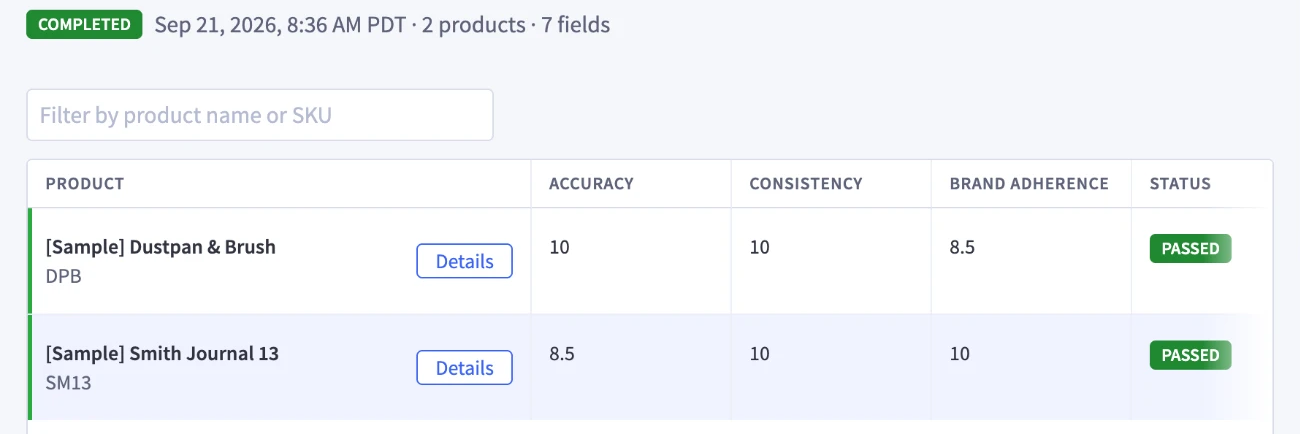
Then sample the rest
A clean score means the reviewer found no issues of the kinds it checks for. It does not mean the copy suits your brand, so do not skip the products that passed.
- Read 10 to 15 passing products fully. Every field, start to finish. Spread them across the categories and price points in the batch.
- Then scan one field at a time down the column. Patterns are far easier to see reading 250 descriptions than reading one product’s seven fields.
- Check your thinnest products deliberately. Sparse records produce the weakest output, and they are where unsupported claims would appear if anywhere.
What to check per field
The check that matters most
For any claim in the output, ask whether the product record supports it. Accuracy scoring is built to catch exactly this, but it is the failure with the highest cost if one slips through, so it is worth your own eyes on the thin records rather than relying on the score alone.
Scoring is a tool for resolving issues, not a grade on the batch. The number directs your attention; the issues attached to it are the part you act on. So when a product scores low, the next step is not to raise the threshold, re-run it, or set the result aside. It is to open the record and understand what was flagged — which field the issue is in, what the reviewer found there, and what in the product data or your inputs produced it. Once you know that, the fix is usually clear: add the missing fact to the record, sharpen a brand guideline, or correct the field directly.
Working through a handful of low scorers this way in your first batch tells you what to change before the next one, which is worth more than the individual corrections. See Understanding quality scores.
Stop reviewing and fix the input
If you are correcting the same thing repeatedly, stop editing rows.

Roughly: more than five or six identical corrections means the input is wrong, and fixing it costs less than continuing to edit. See Deciding what to change.
Before you apply
Applying replaces the existing value in each field. There is no undo. Back up your catalog before your first apply, and review content before you commit it.
Apply a small selection first and check the result on your storefront before applying the rest of the batch.