

GraphQL Storefront API overview
BigCommerce’s GraphQL Storefront API makes it possible to power a headless storefront; see Introduction to Headless Commerce for details. The GraphQL Storefront API also lets you query storefront data from within a Stencil theme.
This graph serves as a flexible interface for building shopper experiences. For example, with the GraphQL Storefront API, it is possible to do the following:
- Query product catalog data to help shoppers find the product they’re looking for through BigCommerce’s searching, filtering, and sorting capabilities.
- Request any product’s images at any resolution.
- Ask for a signed-in customer’s details, such as name, email address, and attributes.
- Look up objects, such as categories or brands, by URL, and fetch their details.
- Create new carts, fetch existing carts, and initiate checkout.
GraphQL currently does not support sorting products based on pricing defined in Price Lists. Price based sorting methods with GraphQL will be based on prices on the product level.
Additionally, by leveraging the power of GraphQL, data for multiple resources can be returned from a single API call, which simplifies integration and increases performance so that developers can focus on building delightful shopper experiences.
This article is a general overview of BigCommerce’s GraphQL Storefront API; it includes sections on authentication and how to access a store’s GraphQL Playground. To see specific examples of how GraphQL can be used to query storefront data, see GraphQL Storefront API Example Queries.
Stores using BigCommerce’s legacy Blueprint theme framework do not support the GraphQL Storefront API or playground.
See it in action
To see a simple example of the GraphQL Storefront API in action, check out the Bootstrap + vanilla JS GraphQL Storefront API example hosted on GitHub. This example shows how a static HTML site can render dynamic product information using the GraphQL Storefront API.
Open the link and click submit with the sample data in the form. To see the example page with your store’s data, create a GraphQL Storefront API token against your store and paste the token into the example form. Be sure to create a token valid for this origin: https://bigcommerce.github.io.
Accessing the GraphQL Storefront playground
To access the GraphQL Storefront playground and documentation, sign in to your store and navigate to Settings > API > Storefront API Playground.
The GraphQL Storefront API Playground will open.
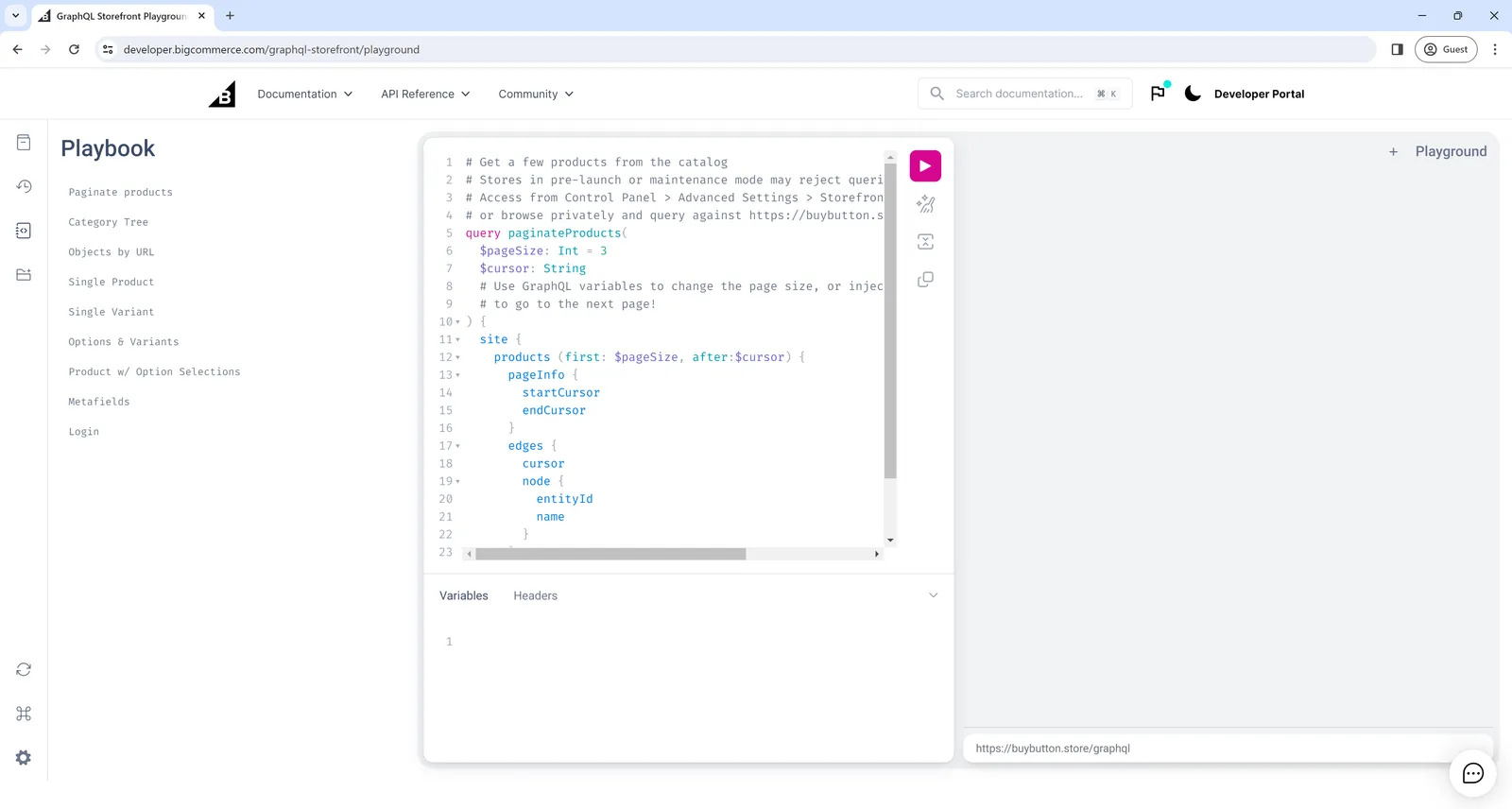
If the Storefront API Playground link is not visible, this may be because your store is not using a Stencil theme or any headless channels.
Using the GraphQL playground
To use the playground, input queries on the left side and then click the Play button. Query results will be displayed on the right side.
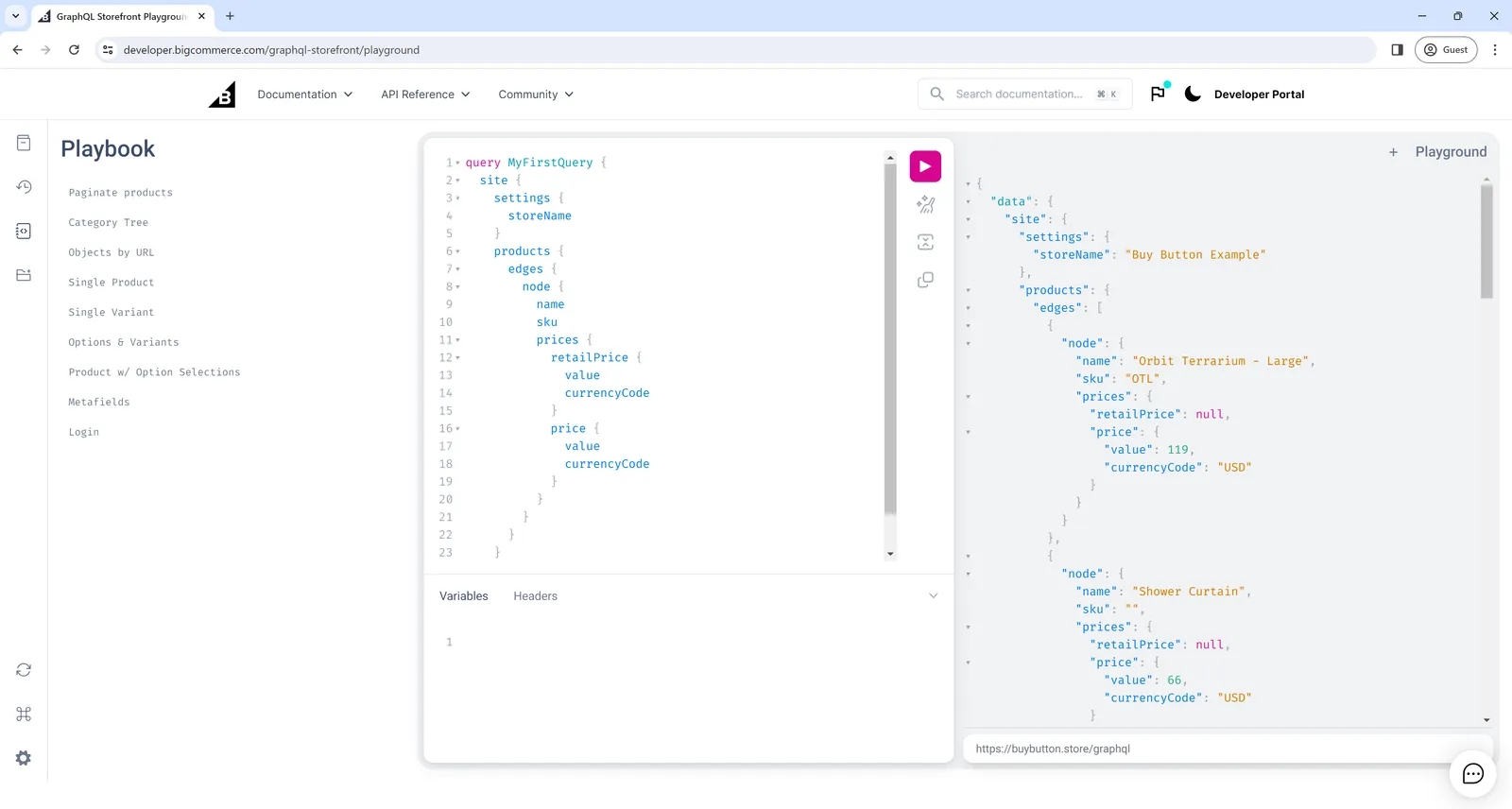
The following is an example query to get you started.
To explore the schema, you can use the API reference, the explorer, or the playground, which lets you make live requests to your store.
Authentication
To learn more about authenticating requests to the GraphQL Storefront API, see Authenticating requests to the GraphQL Storefront API.
Querying within a BigCommerce storefront
You can make GraphQL Storefront API calls directly from within a Stencil theme or from a script in the store’s Script Manager.
The following example request uses the {{settings.storefront_api.token}} Handlebars object and JavaScript’s Fetch API:
The fetch request’s credentials property must be set to same-origin.
You can limit the number of items retrieved for the nodes that return multiple items. See the section on pagination later in this article.
Client libraries like Apollo offer features that can simplify GraphQL implementations, such as declarative data fetching, state management, and caching for more consistent UI components. For an example of adding Apollo Client to the Cornerstone theme, check out this Cornerstone commit on GitHub.
Pagination
The GraphQL Storefront API follows the GraphQL cursor connections specification for pagination. If this is your first time working with GraphQL pagination, see Apollo’s blog post “Explaining GraphQL connections” for an accessible introduction. If you’ve worked with other GraphQL APIs, pagination on BigCommerce should look familiar.
For example, consider the following query for a store’s first three products (notice first: 3 passed to products):
You can run this query against an example storefront using the GraphQL Storefront playground.
The results look something like the following:
Notice the edge corresponding to entityId: 81 has a cursor of YXJyYXljb25uZWN0aW9uOjE=. We can pass that cursor to the after parameter to get the three products after entityId: 81:
The results will look something like this (notice the last product entityId: 82 is now the first product):
You can use the same approach to slice any GraphQL connection and paginate through the slices using startCursor and endCursor. For example, the following query gets the first thirty brands:
And given the following results:
You can retrieve the next thirty by making a new query and passing in the endCursor from the first page of results:
If first is not specified, a query returns only 10 items by default.
GraphQL bi-directional pagination
The GraphQL Storefront API supports bi-directional pagination, enabling both forward and backward navigation through data. The following pagination options are available:
- Base query: Fetching the initial set of data.
- Forward pagination: Moving forward in the dataset.
- Backward pagination: Moving backward through the dataset.
Base Query:
The base query provides the first page of results. You can use this query as the starting point for the next pagination queries. The example below demonstrates how to query the first 50 products.
In this query:
first: 50: Retrieves the first 50 products.- pageInfo: Contains pagination metadata:
startCursor: The cursor for the first product.endCursor: The cursor for the last product.hasNextPage: Indicates if there are more products after the current page.hasPreviousPage: Indicates if there are products before the current page.
Forward pagination:
For forward pagination, you can use the hasNextPage=true and hasPreviousPage=false flags. This allows you to load the next set of results. The example below queries the first 5 products.
In this query:
first: 5: Retrieves the first 5 products.- The
pageInfoobject provides information about whether there are additional pages to fetch in the forward direction (hasNextPage).
Backward pagination:
To paginate backwards, you can use the hasNextPage=false and hasPreviousPage=true flags. The flags are helpful for retrieving data from previous pages. The example below shows how to query the last 5 products.
In this query:
last: 5: Fetches the first 5 products.before: "YXJyYXljb25uZWN0aW9uOjU=": A cursor from a previous result, indicating where the backward pagination should begin.
The pageInfo will tell you if there are more products in the backward direction (via hasPreviousPage) and if there are pages ahead (via hasNextPage).
Complexity limits
Complexity scores estimate the load that a single GraphQL request may generate. BigCommerce calculates the complexity score using an algorithm before executing the call, based on the provided query.
The API sets a complexity limit of 10,000 for each request to prevent excessive loads. Because all work is generated per request, the limit is fixed per request, regardless of the number of requests sent.
When you send a valid request to the GraphQL Storefront API, the API returns the query complexity as an integer using the HTTP response header X-Bc-Graphql-Complexity.
If a query’s complexity score exceeds the complexity limit, an error response similar to the following appears:
The complexity limit error is usually caused by queries with a large quantity of deeply nested objects; for example, this query requests four different product collections together with their prices, variants, options, and option values.
You can reduce the complexity of this query by changing the number of products queried in each collection from first:50 to first:10:
Filter arguments and character limits don’t contribute to complexity.
To reduce complexity, reduce the number of objects requested. For example, you can do the following:
- Limit collections to a smaller page size (for example,
first:10instead offirst:50). - Reduce the number of items in nested collections, which exponentially affects complexity.
- Request fewer fields on objects, and don’t request fields you don’t need.
Mutations have a higher complexity than queries; you can only send one mutation in a single request. Pagination info also contributes to complexity.
Query depth
In addition to the complexity limit, there is a query depth limit. The limit is 16. Queries must not exceed the query depth limit and the complexity limit.
Every parent type adds an additional level of depth, as shown in the following examples.
Platform limitations
BigCommerce has limits on certain portions of the platform.
FAQ:
Querying for channels other than Stencil storefronts and querying from external systems
If you wish to use the GraphQL Storefront API from an external system, there are a few considerations.
- Which channel do you wish to run requests in the context of?
- Are you running requests from a server or a front-end application?
- If you are running requests from a front-end application, do you need to show customer-specific information, or only anonymous information?
- If you are running requests from a server, do you need the ability to support customer login?
As a best practice, you should create tokens that expire and rotate them regularly before their expiry. However, you are also permitted to create long-lived tokens.
Can I hide the display of a field, such as the product’s price, on the storefront by toggling the setting in the control panel?
You can toggle off the show_product_price field in the control panel to prevent the display in GraphQL. The prices field returns null in the GraphQL response.
I want to run requests in the context of the store’s default channel (channel ID 1)
There are two public URLs you can use to run requests:
- The storefront’s vanity URL; for example,
https://example.com/graphql - The store’s permanent URL; for example,
https://store-STOREHASH.mybigcommerce.com/graphql
I want to run requests in the context of another channel
Use the channel’s permanent URL in the following form: https://store-STOREHASH-CHANNELID.mybigcommerce.com/graphql.
For example, if your store hash is abc123 and your channel ID is 456, the channel’s permanent URL is https://store-abc123-456.mybigcommerce.com/graphql.
For a channel’s permanent URL to respond to requests, you must first create a site for the channel.
When you create a GraphQL Storefront API token, you can include the channel IDs of the channels on which you wish to use the token. See the section on Creating a token in the GraphQL Storefront authentication article.
I want to run requests from a front-end application or browser. I only show anonymous information, or I do not support signing in as a customer
Use a normal GraphQL Storefront API token. You can use an anonymous fetch or XHR mode that does not send cookies along with the request. When creating your token, specify the origin from which your requests will be run in order to specify this as an allowed origin for CORS.
I want to run requests from a server, and I don’t need customer impersonation abilities
Use private tokens for server-to-server requests. Private tokens are designed for server-side use and do not require an allowed CORS origin. According to the Principle of least privilege, you should not create a token that has permissions you do not need.
Storefront tokens created after June 30th, 2026 will no longer support server-to-server (s2s) use. Storefront tokens created on or before June 30th, 2026 will continue to support s2s calls until March 31st, 2027. Use private tokens for server-to-server integrations.
I want to run requests from a server, and I need to support customer login
The recommended option is to use a private token with a customer access token. You can exchange customer credentials for a customer access token using the login mutation and send the token on future requests using the X-Bc-Customer-Access-Token header. The other possible but least preferred option is to use a customer impersonation token and store it securely on your server like other secrets. When you need to run requests in the context of a particular customer (for example, if they’ve logged in to your application), send their BigCommerce Customer ID along with the request as the X-Bc-Customer-Id header. This option provides less security but is available to use.
I want a list of GraphQL error messages
For a list of GraphQL error messages, see GraphQL HTTP Status Codes.