

What Is Stencil?
Stencil is BigCommerce’s theme engine that allows theme developers to create beautiful, dynamic, and powerful storefronts. It powers BigCommerce’s Cornerstone theme, which serves as your framework for creating custom sites. The Cornerstone theme is available on GitHub and will be referenced throughout the course. Although Cornerstone is used as the example theme throughout the course, Stencil CLI will work with any Stencil themes from the Theme Marketplace.
Stencil incorporates industry best practices in technology, design standards, and SEO, allowing you to build a stunning storefront that engages shoppers and encourages checkout on any device.
Key Features and Benefits of Stencil
- Local Development: With Stencil, you can develop locally and show your modifications and customization prior to uploading to production.
- Fast template engine: Everything is bundled, minified, and parsed into a very small package.
- Handlebars / YAML Front Matter: Part of the template framework is the inclusion of handlebars and the exposure of more API content to the theme, such as the GraphQL Storefront API.
- Share in Real Time: Development work is easy to share with clients during the development process. Stencil exposes a server in your environment that clients can use to review your work in real time.
- Developer Friendly: The Stencil framework allows you to develop and test code locally, which means that you can try a new approach without applying any changes to the live store. Stencil CLI accomplishes this by querying data in a live store from your local environment.
- Handlebars Templating Language: Handlebars Templating Language is a core component of the Stencil framework. It provides developers with a powerful way to create dynamic and customized themes. Handlebars allows developers to access and manipulate various data objects within the BigCommerce ecosystem, including customer, cart, and product information.
- Minification of CSS and JS: The Stencil framework minifies and combines JavaScript and CSS scripts, which cuts down on web requests and limits the size of files. By condensing it all down to single CSS and JS files, HTTP requests are reduced, which increases the site loading speed.
- Rich Frontend UI/UX Development: BigCommerce Stencil is equipped with tools to help BigCommerce web designers create intuitive UIs.
- Multi-Language Storefronts (Beta): Stencil storefront channels support multiple locales within a single storefront, so shoppers can view your store in their preferred language without you needing to maintain a separate store per language.
Stencil Theme Overview
Stencil Command Line Interface (CLI)
The Stencil CLI enables developers to locally develop and customize any Stencil theme with no impact on a merchant’s live storefront during the development process. When developing locally, you will have access to real-time Browsersync preview and testing across multiple devices, such as desktop, mobile, and tablet.
Stencil CLI runs on the Node.js runtime environment. Installing Node.js also provides the required npm package manager.
Templates with Conditional Logic
BigCommerce developers can customize storefront pages efficiently with the lightweight templating language, Handlebars. Handlebars allows you to embed dynamic and conditional logic onto your storefront pages.
CSS and Design Assets
Stencil’s Sass and SCSS support allows developers to nest properties, variables, and mix-ins. Cornerstone uses a BigCommerce pattern library called Citadel, which is built on top of the Foundation framework version 5.5.3.
Page-Specific Resource Definition
YAML front matter allows you to request only the objects you need on the storefront, increasing page speed and allowing you to define the content rendered with just a few keystrokes.
JavaScript Event Hooks
Stencil themes can access remote objects through event hooks, using the hooks to trigger defined events based on shopper behavior. This will allow you to collect product data and optimize a shopper’s experience. To facilitate theme-building, BigCommerce provides the stencil-utils client-side JavaScript library for managing event hooks.
Extensibility
Stencil allows developers to extend the features baked into Cornerstone by adding third-party JavaScript libraries.
Customizing Stencil Themes
Although this course focuses on the Command Line Interface (CLI) for advanced developers, there are three options available for editing and customizing themes.
Visual Editors
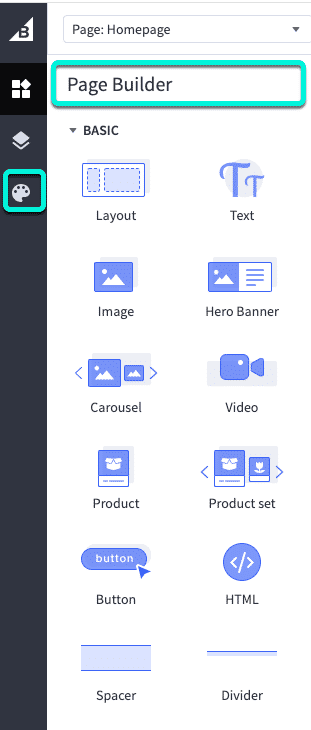
Visual editors let you build and adjust a storefront directly in the browser, without a local development environment. In BigCommerce, Page Builder is the visual editor for Stencil themes, and it supports two distinct kinds of changes: content building and Theme Styles.
Content building is the drag-and-drop assembly of a page. Using content blocks such as text, images, videos, banners, carousels, and product lists, you compose the content that appears within a page’s layout.
Theme Styles control presentation elements such as colors, fonts, text sizes, and product display settings. These settings affect content controlled by the Stencil theme, so the options available in Theme Styles depend on which properties the theme developer exposes in the theme’s configuration.
Page Builder
Page Builder brings content building and Theme Styles together in one browser-based interface. Its drag-and-drop canvas lets you assemble pages from content blocks, while the Theme Styles panel adjusts the colors, fonts, and product display settings your theme exposes. For advanced users, Page Builder also provides access to theme template files for more granular customization.
Makeswift
Makeswift on Stencil is in Beta. Features and availability are subject to change.
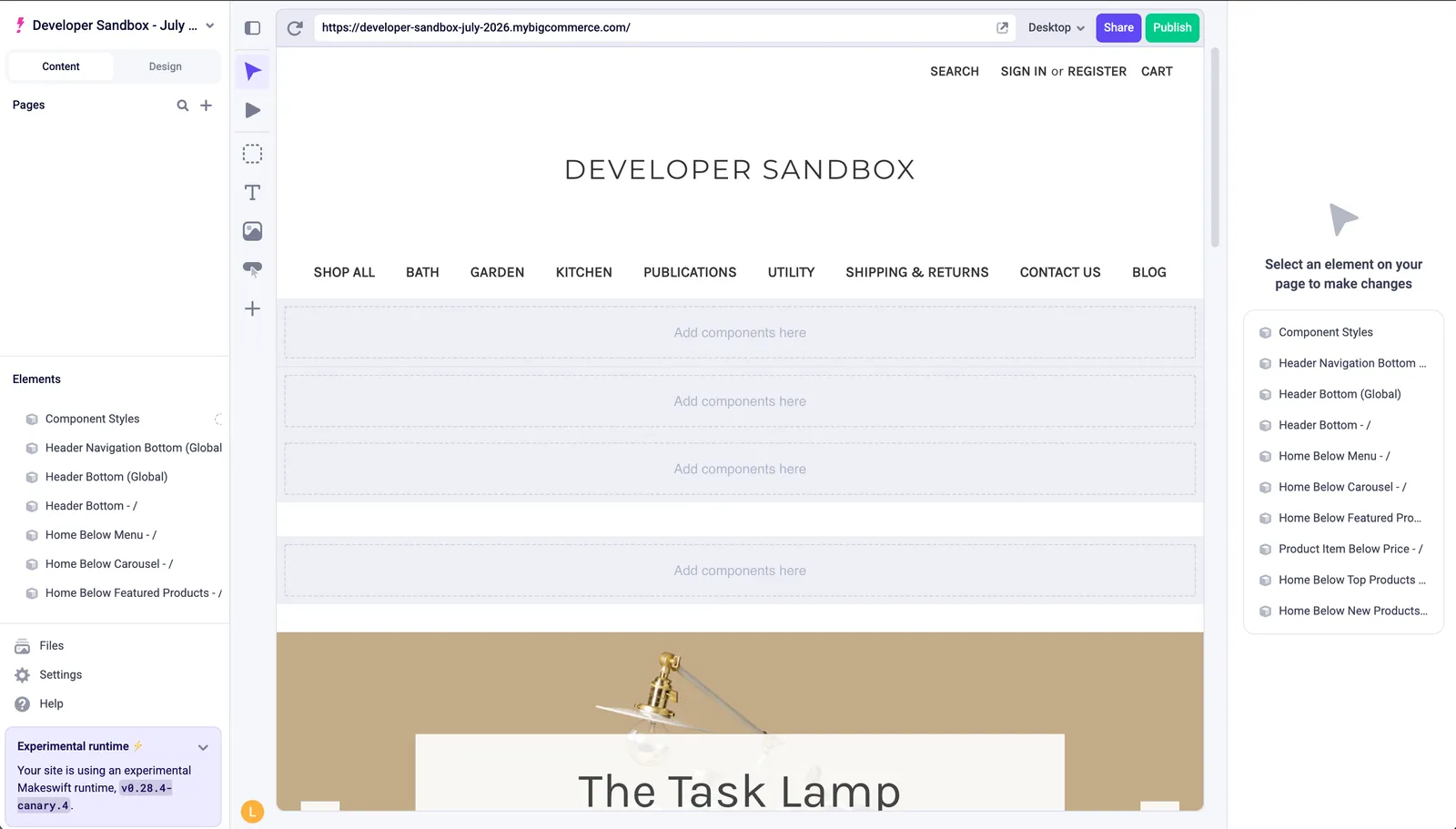
Makeswift is a visual editor for building storefront pages on top of a Stencil theme. Its built-in editing controls include a drag-and-drop canvas, in-context text and style editing, spacing and layout controls, and responsive breakpoints, so you can arrange and style content visually without editing theme files directly.
Makeswift also provides Stencil-specific components that render with your theme’s own markup and styling. These components surface BigCommerce data—such as products and product lists—inside the editor while inheriting the presentation controlled by the Stencil theme. For the full list and setup details, see Makeswift on Stencil.
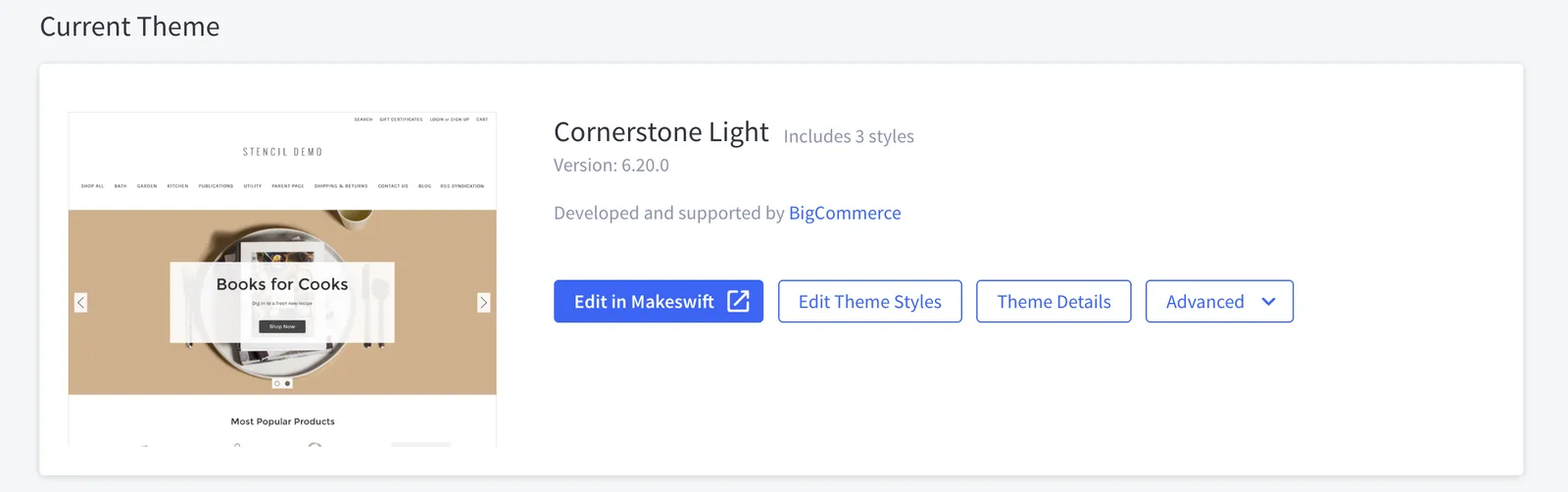
You open the editor from the channel’s entry in the control panel, where a Makeswift-connected channel exposes an Edit in Makeswift button alongside the Theme Styles button.
Theme Files
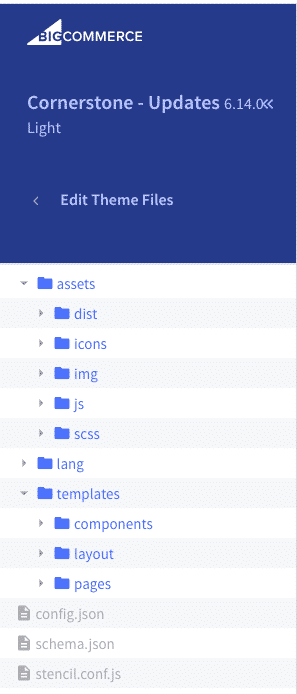
For advanced customization, you access theme template files directly within the store. Not all files are editable, and Edit Theme Files is only available on the copy of a marketplace theme - the original theme is not editable.
Command Line Interface (CLI)
Local development environment, intended for heavy customization. All theme files are accessible. The rest of these modules will focus on using the CLI, though some of the edits shown are possible using Edit Theme Files.