

BigCommerce GraphQL Tools
Storefront API Playground
The Storefront API Playground is a testing tool that can be accessed from the control panel of a Stencil store. BigCommerce’s GraphQL API uses the Storefront API Playground to let you run requests in the browser.
The Storefront API Playground is our implementation of GraphiQL, which is a fairly common tool. Developers who have used GraphQL before should immediately be able to make the connection to their previous experience.
Accessing the Storefront API Playground
To access the Storefront API Playground and documentation:
- Log in to a BigCommerce store
- Navigate to Settings > API > Storefront API Playground
If the Storefront API Playground link is not visible, this may be because your store is not using a Stencil theme. Apply a Stencil theme to access the Storefront API Playground.
Accessing the Storefront API Playground Manually
Accessing the Storefront API Playground manually (i.e., from gql-playground.bigcommerce.com) doesn’t automatically connect to your store to the playground like the control panel flow does. Instead, this link is connected to the Buy Button Sample Store and can still be used to test out simple queries. You can still use this link to connect to your store, but you will need to provide your own Storefront API token, which is covered in the next module.
How to Use the Storefront API Playground
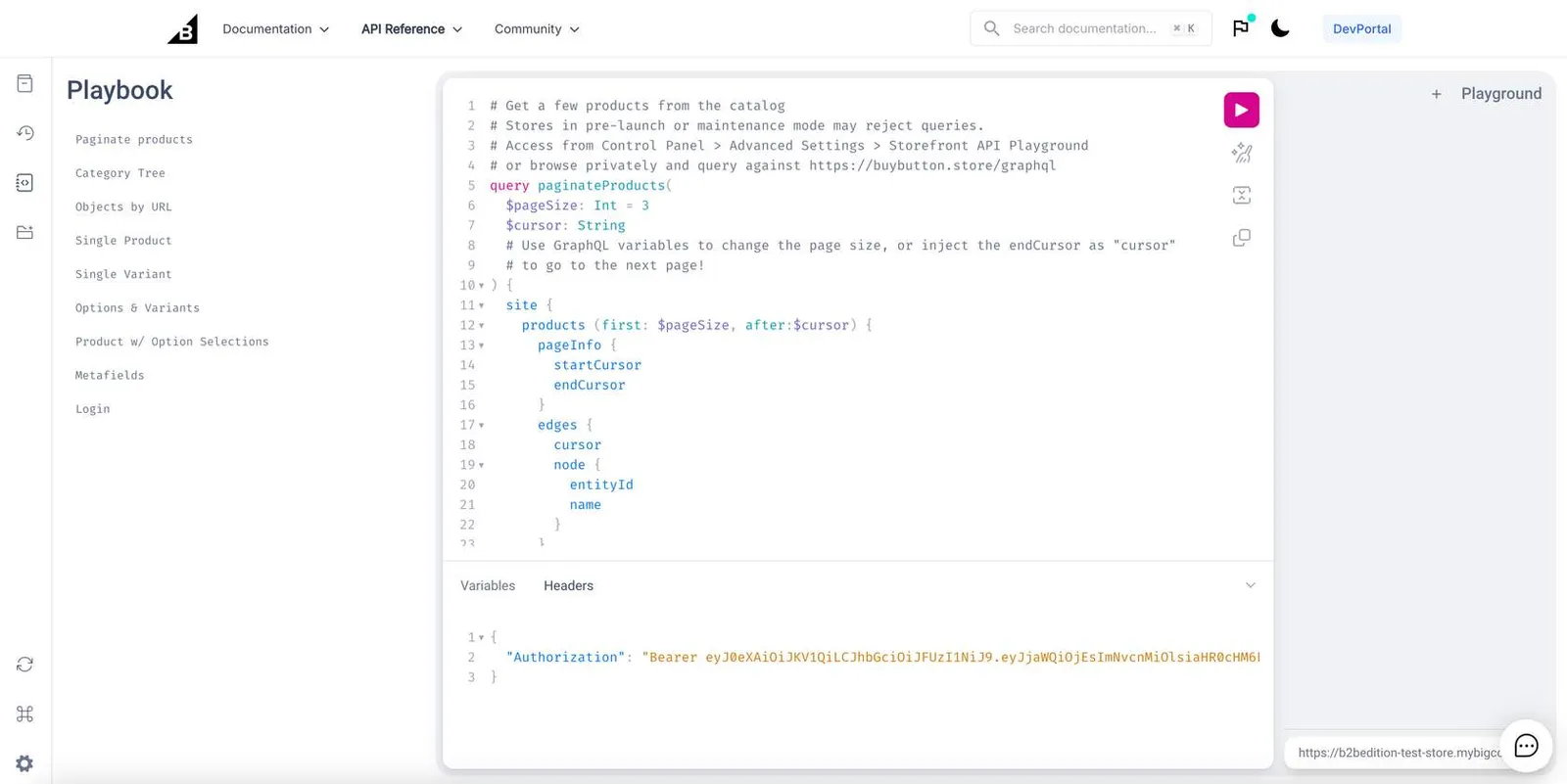
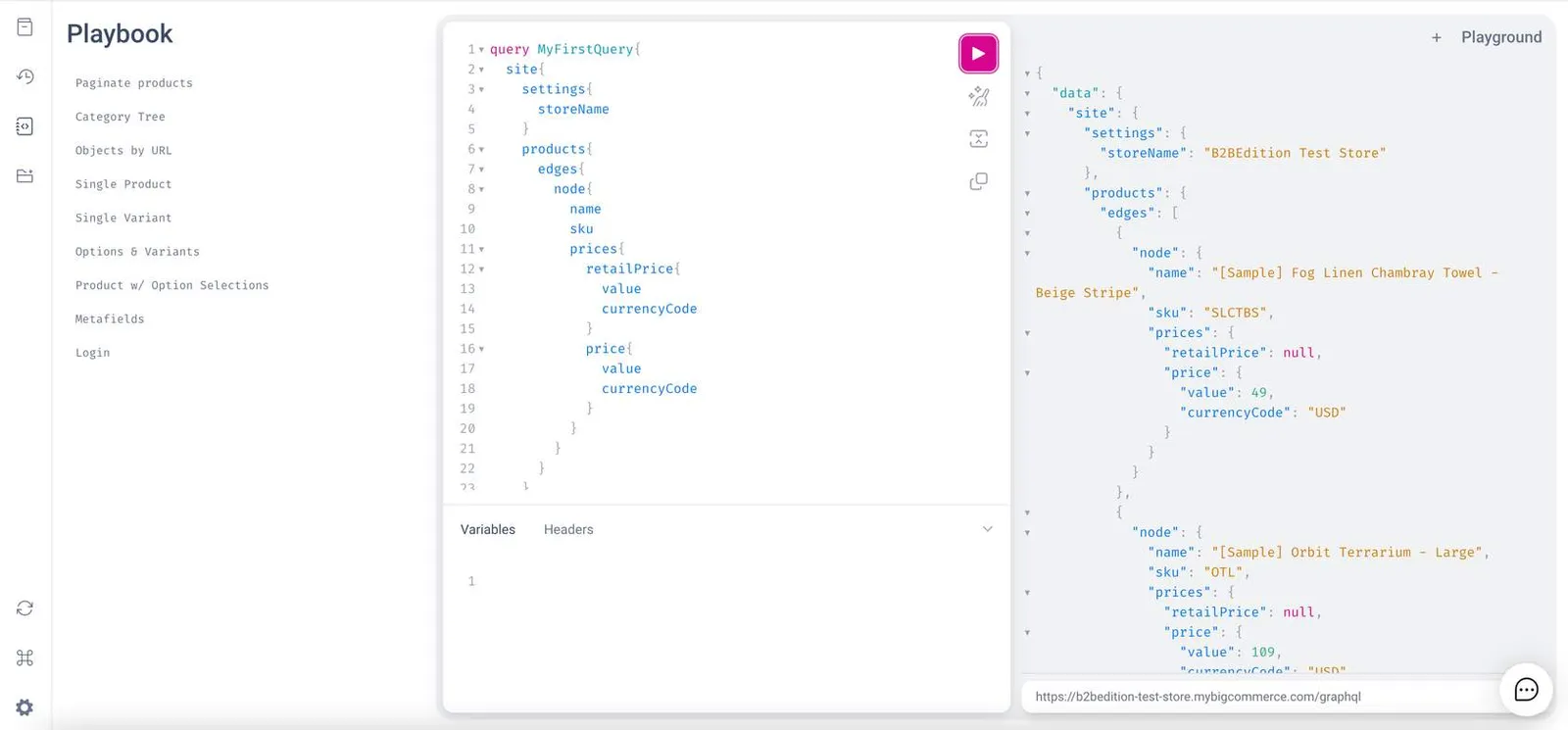
To use the playground, input queries on the left side and then click the play button. Query results will be displayed on the right side:
View Documentation and Schema
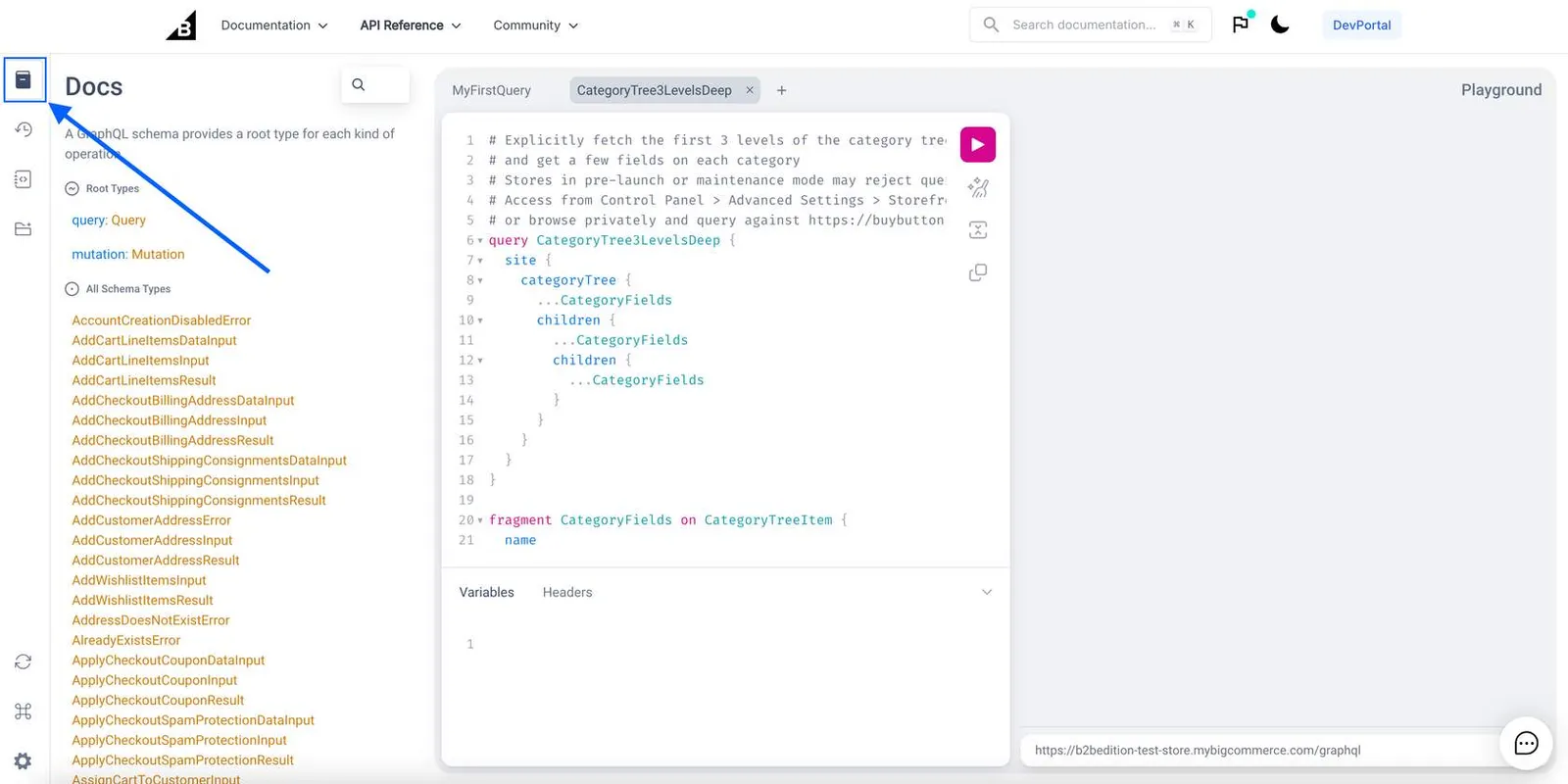
To explore the storefront GraphQL schema, click on the Docs tab on the left side of the Storefront API Playground.
GraphQL Storefront API Reference
The dynamic API reference available in the BigCommerce docs is an exhaustive and cross-linked list of the GraphQL Storefront API schema, including all queries, mutations, and types. This reference can be used to drill down easily from a top-level query or mutation to all fields and sub-fields below it.
Example: Building a Query
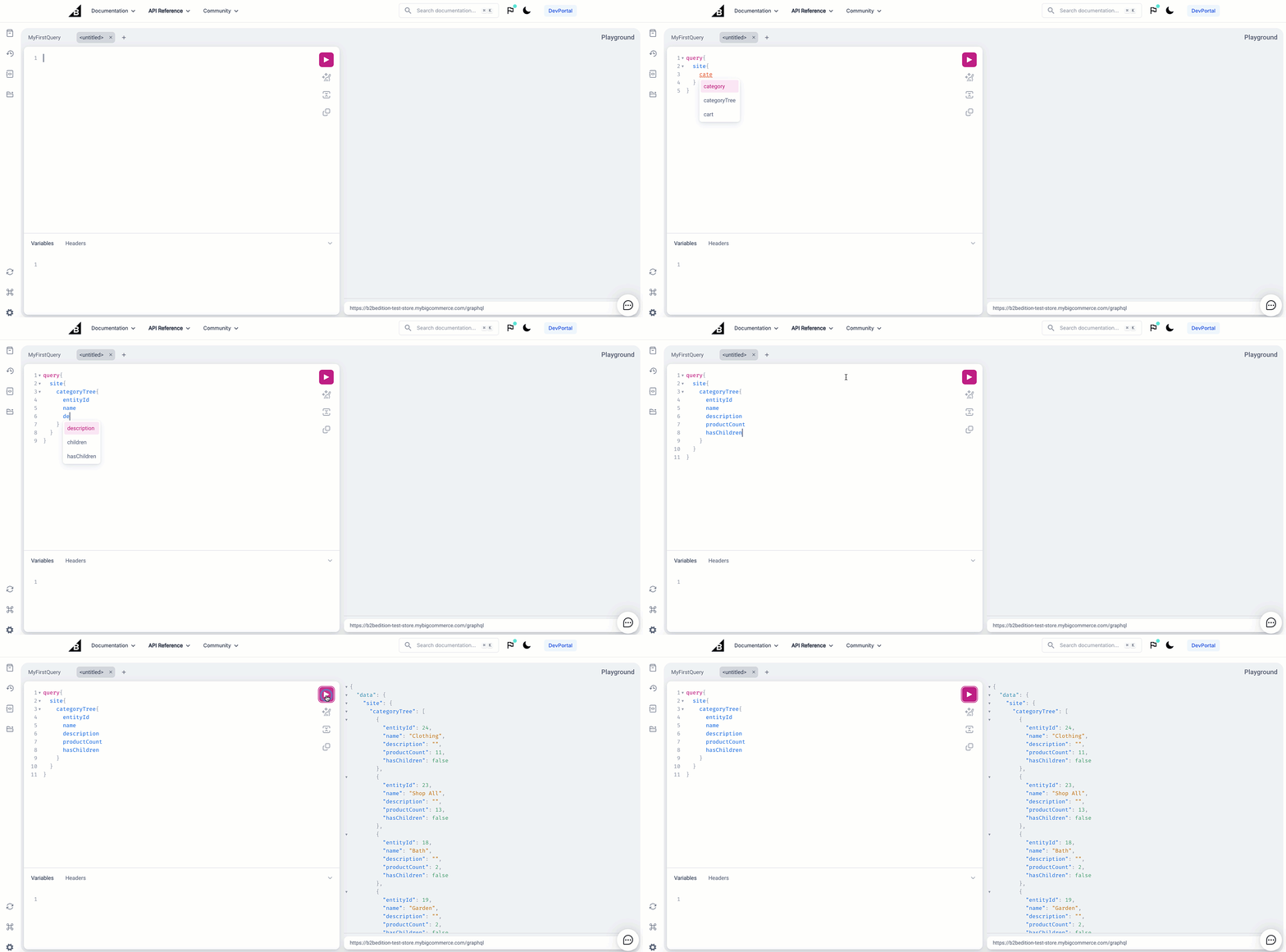
Using the Docs tab and the API reference, you can determine the structure of any query. For example, the structure of the query for categoryTree would be:
Use the GraphQL Playground to run the query and see what information you receive.
Pro Tip!
Use the command option + space bar (Mac OS) or control + space bar (Window OS) when writing a query in the GraphQL Playground to view possible sub-selections.