

Checkout API
What is Checkout API?
Checkout API allows for a checkout to be created from an existing cart using BigCommerce checkout logic. The existing BigCommerce front-end cart/checkout can be bypassed.
Why is it important?
The Checkout API makes it possible to purchase products from a BigCommerce store programmatically. You also have the option to use the GraphQL Storefront API to build an external checkout in your CMS or app.
When to Use the Checkout API:
- Headless Commerce - manage various operations in a custom checkout on a headless storefront.
- Take a checkout in progress on the storefront and validate its address details externally, then post back a corrected address.
- Fill out a checkout object so that the user only has to enter their credit card details.
GET a Checkout
You can retrieve a checkout by sending a GET request to the /checkouts endpoint and including the checkout_id.
Cart_id and checkout_id are the same Id.
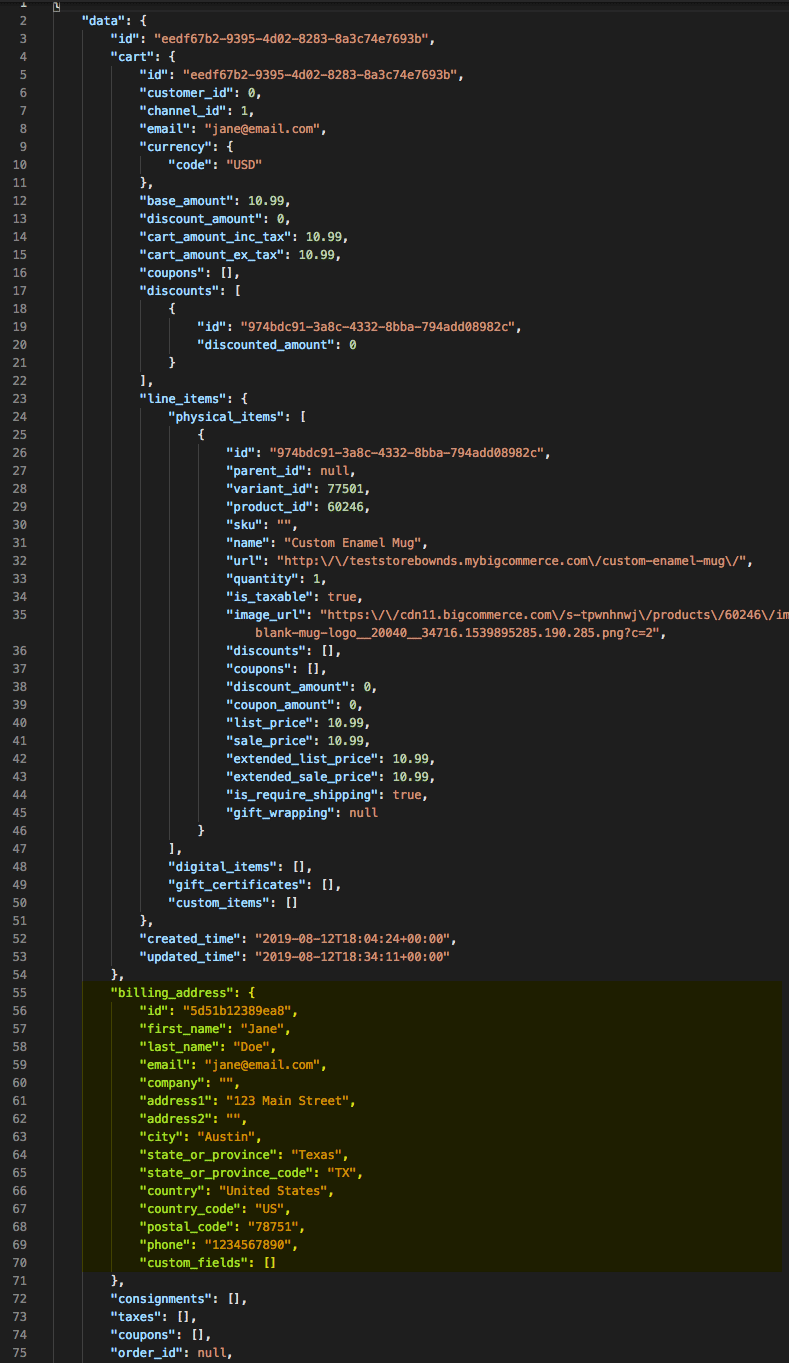
Add Checkout Billing Address
You can add a billing address to an existing checkout by sending a POST request to /checkouts/{checkout_id}/billing-address
Required Fields:
emailcountry_code
Body Example
Update Checkout Billing Address
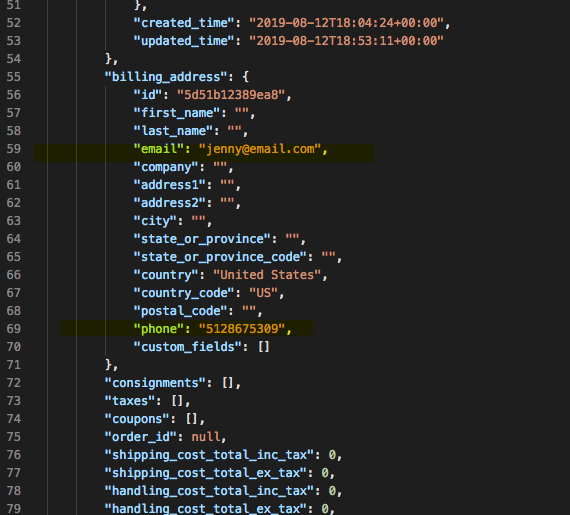
Update an existing billing address with a PUT request to /checkouts/{checkout_id}/billing-address/{address_id}
Body Example
Add Consignment to Checkout
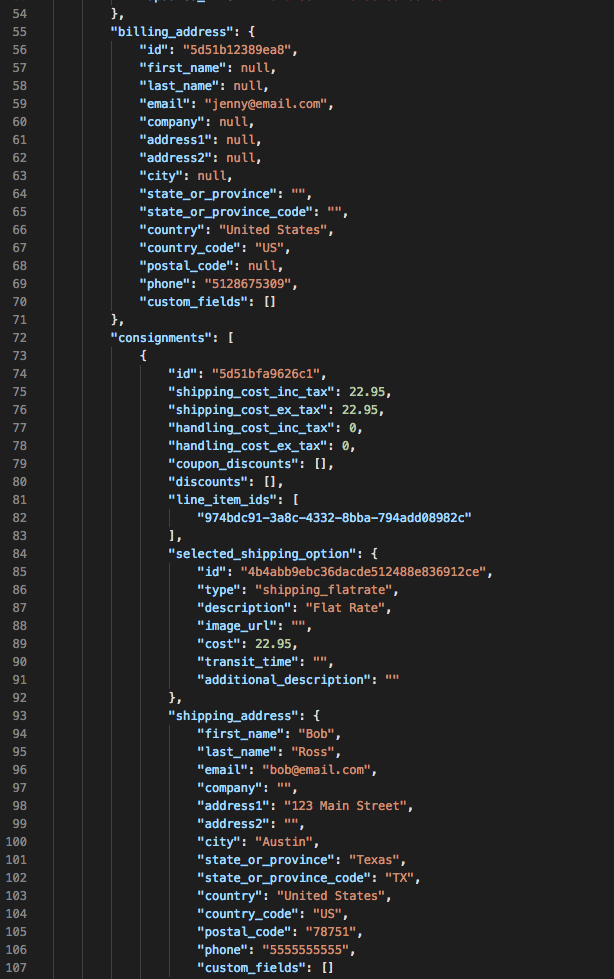
A consignment is a list of physical products that will travel together to the purchaser, and it specifies how those items can and will ship. It is an object that includes at least one product line item and one shipping address.
Add a new Consignment to Checkout by sending a POST request to /checkouts/{checkout_id}/consignments
Required Query:
consignments.available_shipping_options
Required Fields:
shipping_addressline_items
Update Checkout Consignment
Updates an existing consignment. Shipping address, line item IDs or the shipping option ID can be updated using this endpoint.
Required Fields:
shipping_option_id
There are two steps to add a new shipping address and shipping options with line items.
- Add a new Consignment to Checkout
- Send a POST to Consignments with each shipping address and line items IDs. Each address can have its own line item IDs.
- As part of the request URL make sure to add
include=consignments.available_shipping_optionsto return the available shipping options based on line items and shipping locations. This will returnavailable_shipping_optionsin the response.
- Update the Consignment with Shipping Options
- Update each Consignment
shipping_option_id(shipping address and line items) with theavailable_shipping_optionid from Step One.
- Update each Consignment
Delete Checkout Consignment
Removes an existing consignment from checkout.
Add a Coupon to Checkout
Add a Coupon Code to a checkout with a POST request to /checkouts/{checkout_id}/coupons
Required Fields
coupon_code
Delete a Checkout Coupon
Deletes a Coupon Code from Checkout.
Add Discount to Checkout
To add a discount to an existing checkout, send a POST request to /checkouts/{checkout_id}/coupons
In the request body, you need to include the following information:
couponCode: The code of the discount that you want to add.couponType: The type of discount that you want to add. Valid values are percentage_discount and amount_discount.discountedAmount: The amount of the discount. For a percentage discount, this is the percentage of the checkout total that will be discounted. For an amount discount, this is the amount of money that will be discounted.
For example, the following request would add a 10% discount to a checkout with the ID 12345:
Here are some additional things to keep in mind about adding discounts to checkouts:
- You can only add one discount to a checkout at a time.
- If you add a discount that conflicts with an existing discount, the most recently added discount will take precedence.
- Discounts are applied to the checkout total before taxes and shipping costs.
Create an Order
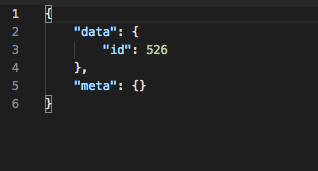
Create an order by sending a POST request to /checkouts/{checkout_id}/orders
- Orders created will be set to incomplete order status
- You can create as many orders from the same order (cart) as you want
- Order duplication creates the same order with a new order number and an incomplete status
- Once the order is paid, then the cart is deleted. Cart deletion occurs if you are using BigCommerce to accept payments on orders