

Authentication
The GraphQL API authorizes requests with a bearer token sent via the HTTP Authorization header:
We’ll cover the methods for creating this token, as well as how to utilize the auto-generated token that is available in Stencil and Script Manager code.
Correlating Requests
In addition to the bearer token for authentication, it may be wise in some cases to provide an X-Correlation-Id header.
When multiple GraphQL requests are critical to a single operation within your application, providing the same value for this header is used to indicate that relationship to BigCommerce, where it might be used for request routing. The X-Correlation-Id value should be in UUID format.
Creating a Standard Token
Standard tokens are for client-side requests only. You can create a token for use by any storefront on any domain, as long as you indicate the appropriate allowed origin(s) in the token request.
Standard tokens were previously used for server-side requests as well, but this has recently changed. Standard tokens are now client-side only. For server-to-server integrations, use Private Tokens instead.
In general, this type of GraphQL Storefront API token is not considered sensitive, and it is safe to expose in web browsers, for example, in HTML documents. In a client-side context, this token can only expose information that an individual shopper is already privy to when browsing a storefront or allow them to perform actions that shoppers can perform (e.g., creating a shopper cart).
Standard tokens maintain user context (such as for customer-specific pricing or cart/checkout management) via a BigCommerce-provided session cookie.
It is possible to create a long-lived token that does not expire, which is appropriate if you wish to create a token once and store it in an application environment. In the interest of better security, it is recommended to create shorter-lived tokens and rotate them periodically by calling this API to generate a new one before the old one expires.
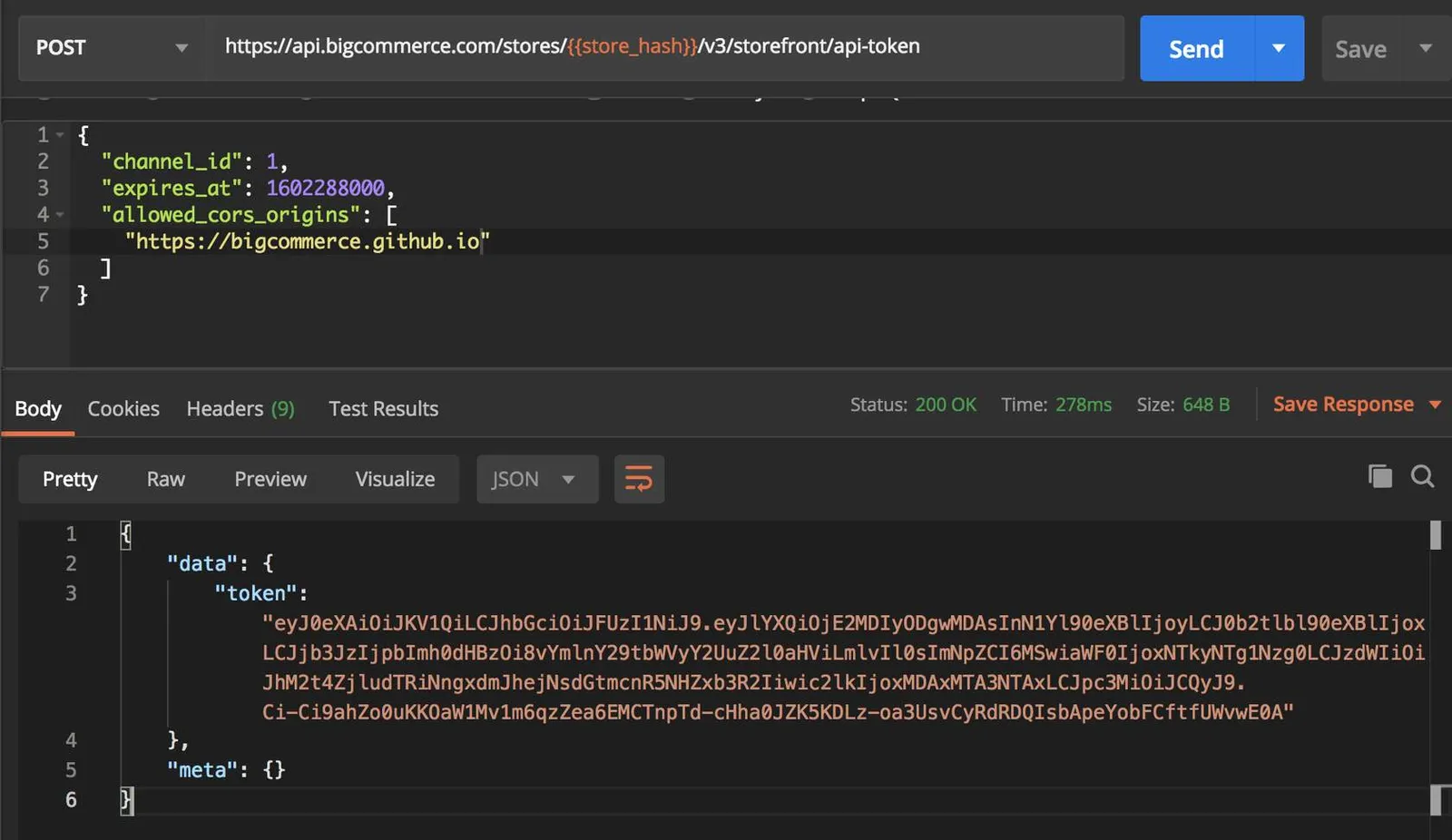
Standard tokens can be created using the Storefront API Token endpoint:
The allowed_cors_origins array currently accepts up to two origins. You will need multiple tokens if you have more origins.
Multi-Storefront
The channel_id for the default Stencil storefront is 1. For more information about using the GraphQL Storefront API on custom channels, consult the FAQ section on alternate channels in the BC Developer Documentation.
Creating a Private Token
Private tokens are designed for server-to-server integrations. They are exclusively for server-side requests and cannot be used in browsers.
Use Private Tokens for:
- Server-to-server integrations
- Headless requests (no session/cookie validation)
- Modern headless storefronts making server-side requests
Do not use Private Tokens for:
- Browser-based applications (requests will be rejected)
- Client-side requests
Private token access scopes
Scopes are required when creating a private token and restrict which GraphQL fields the token can access. See Private token access scopes in the BigCommerce documentation for the full list of available scopes and the fields they cover.
You must specify scopes when creating a private token. Private tokens can be created using the Private Storefront API Token endpoint:
Private tokens do not support the allowed_cors_origins field because they are server-to-server only and cannot be used from browsers.
Authenticating with an Auto-Generated Stencil Token
Stencil code has access to an automatically created GraphQL Storefront token that is used for queries in YAML Front Matter and can also be passed along for use in client-side code.
Client code in BigCommerce Stencil themes or Script Manager can be passed a token at render time with the {{settings.storefront_api.token}} Handlebars object.
Customer Access Tokens
The customer access token is a unique identifier that is associated with a specific customer’s account. This token is used in combination with a Private Token, provided in a special header, to provide an individual customer context for a request.
You can only obtain and use a customer access token for server-to-server requests.
There are two ways to create a customer access token:
- The
loginmutation - This supports a typical login scenario, explicitly requiring a customer’s login credentials in order to obtain the customer access token for their account.
Headers
Login Mutation Body
If successful, the login mutation above will return the customer’s ID, email address, and a customer access token that is specifically for their account.
- The
loginWithCustomerLoginJwtmutation - This supports a single sign-on workflow in which a trusted application authenticates a customer without requiring their credentials. This utilizes the steps described for the Customer Login API to create a JWT.
Headers
loginWithCustomerLoginJwt Mutation Body
Similar to the regular login mutation, the loginWithCustomerLoginJwt mutation will return the customer’s ID, email address, and a customer access token associated with their specific account.
However a customer access token was obtained, this token is passed in the X-Bc-Customer-Access-Token header with any GraphQL request to provide the customer context. When this header is provided, requests and the data they mutate or return are tailored to the customer, whether that involves returning differentiated pricing for products, determining the ownership of a new cart, or querying the customer’s address or order information.
Example Request Headers
Customer Impersonation Tokens
Customer impersonation tokens (CIT) are an alternative to Private tokens, also used as the Bearer token to authenticate GraphQL requests. A CIT has the ability to “impersonate” any customer context just by providing a customer’s ID in a special header.
Customer impersonation tokens can only be used in server-side requests. Because of their elevated privileges, they should be considered a sensitive credential similar to an OAuth token for BigCommerce’s administrative APIs and never exposed to end users. Requests from browsers using a customer impersonation token will be rejected.
Using a customer impersonation token in combination with a customer ID is an alternative way of providing customer context, in contrast with using a Private token with a customer access token. This is a legacy approach, and because of the elevated privileges of a CIT, the customer access token approach is the preferred method.
You can generate customer impersonation token using the following endpoint:
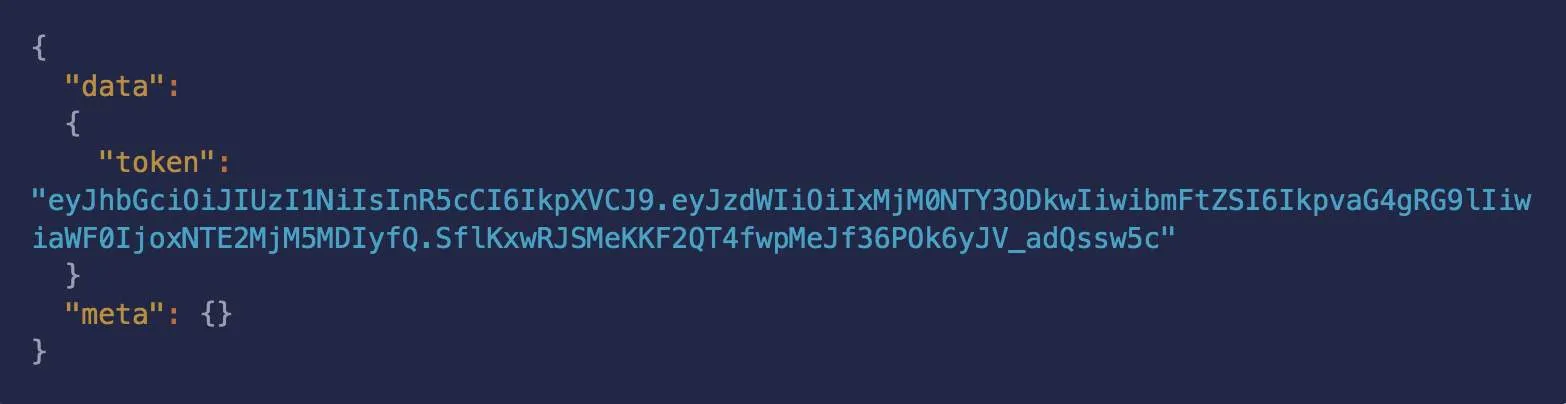
Like Private tokens, customer impersonation tokens do not require allowed origins to be designated, since they are never used in a client-side context.
Customer Impersonation Token authenticated requests made to the GraphQL API receive store information from the perspective of the customer corresponding to the customer ID specified in the X-Bc-Customer-Id header sent with the GraphQL POST request.
CITs are not customer-specific; they and are generally long-lived and stored as static configuration in the applications that use them.
Example Request Headers
Revoke A Token
If a token is compromised and you wish to invalidate the Storefront API connection for your token, you can make a DELETE request to the /api-token endpoint. Use this in emergencies, and do not revoke tokens unnecessarily. Instead, it is best practice to use a shorter expiration and allow them to expire naturally.
Use the following endpoint to revoke a token in the case of an emergency:
Customer Logout Mutation
You can use the following logout mutation to sign out of a customer account:
This will clear the session cookie in a client-side context, which has the effect of logging out the shopper, and will also destroy the session on the BigCommerce back-end for both client-side and server-side contexts.