

Architecture Basics
Buyer Portal Tech Stack
The Buyer Portal application is built primarily on the following technologies:
- React: One of the most popular JavaScript-based libraries for rapidly building user interfaces from components
- React Router: A library for routing in React applications
- Material UI: An open source React component library
- Redux: A library for complex global state management in frontend applications
- GraphQL API: GraphQL powers the Buyer Portal’s API interactions with BigCommerce B2B Edition
- Vite: Used for building the app’s static assets, as well as providing a local server during development
The Client-Side Application
The Buyer Portal is a client-side application that enhances your storefront’s built-in functionality with React-based UI in the browser.
This means the Buyer Portal is separate from your core storefront theme and is deployed as a bundle of static assets that are injected on the client side.
The diagram below illustrates how the server-rendered theme and the Buyer Portal come together in the browser:
The Buyer Portal is installed automatically in a Stencil storefront when B2B Edition is provisioned. In your BigCommerce control panel, you can observe in Script Manager the header and footer scripts that power the UI:
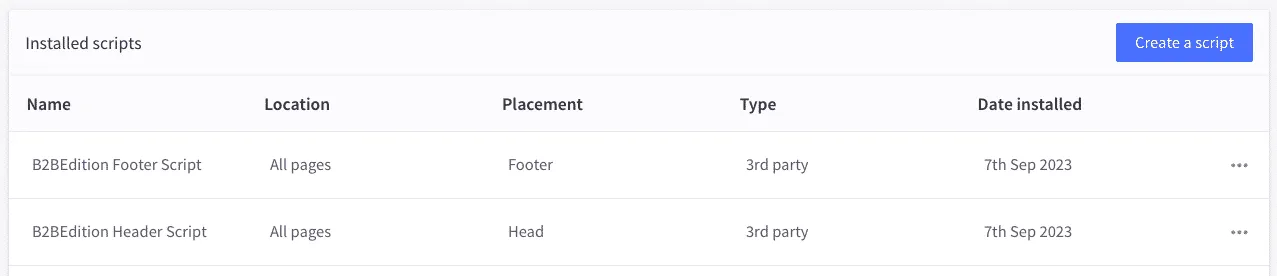
These scripts are responsible for initializing the React application in your storefront with the appropriate configuration. The scripts that are initially provisioned load the default, BigCommerce-hosted Buyer Portal.
The B2B Checkout
The Buyer Portal integrates with a custom flavor of the BigCommerce Optimized One-Page Checkout to complete the B2B front-end experience.
B2B Edition automatically configures your store to load the custom B2B checkout from the BigCommerce CDN:
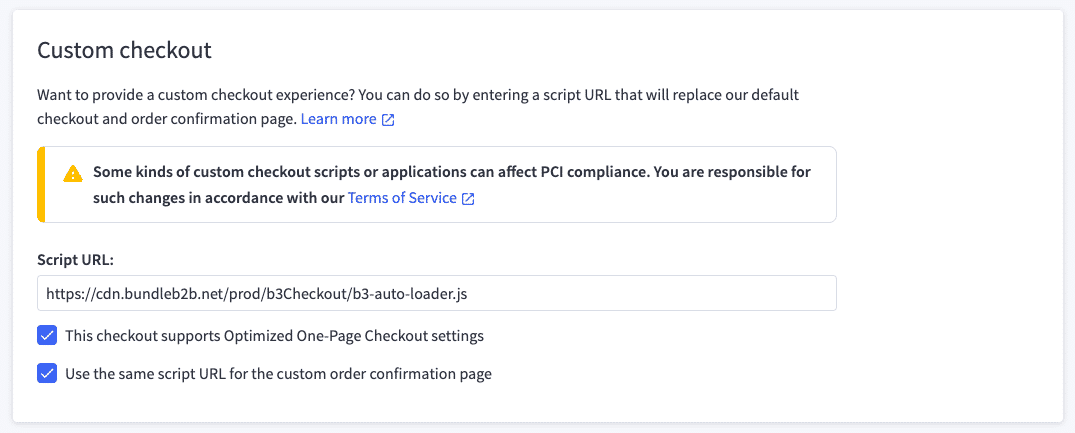
The core UI of the B2B checkout is the same quality user experience featured on all BigCommerce storefronts, but it integrates with key B2B data such as company-wide address books and allowed payment methods.
The B2B checkout codebase is not currently publicly available. Contact a customer support representative to request access if you need to customize B2B checkout functionality.
GraphQL
As mentioned above, GraphQL is a key component of the Buyer Portal. Client-side GraphQL requests power the data that populates the portal.
There are two GraphQL APIs used by the portal:
- B2B GraphQL API: The B2B API powers the core B2B experience with all B2B-specific data. See the GraphQL for B2B developer course for a full exploration of the capabilities of the API.
- BigCommerce GraphQL Storefront API: The standard BigCommerce GraphQL Storefront API is used by the portal in certain scenarios related to verifying details of the logged-in customer, fetching currency and tax settings, and managing the cart. B2B-related operations, such as company registration, are supported and continue to expand. See the GraphQL Storefront API developer course to learn about this API.
The use of two APIs creates a certain degree of complexity around authentication flow. Later in the course, we’ll look at the details of how the app handles tokens for both APIs.