For AI agents: a documentation index is available at the root level at /llms.txt and /llms-full.txt. Append /llms.txt to any URL for a page-level index, or .md for the markdown version of any page.
Dev Portal
DocsAPI ReferenceLearnCommunityChangelog
    • Overview
  • Learning Plans
    • Developer Foundations
    • Composable Developer
    • Stencil Developer
    • B2B Developer
  • Courses
        • Orders - Hands-on Lab
        • Order Status and Order Taxes - Hands-on Lab
        • Order Shipping Address - Hands-on Lab
        • Order Products - Hands-on Lab
        • Order Shipments - Hands-on Lab
        • Order Transactions API - Hands-on Lab
      • Conclusion
    • Learning Changelog
Dev Portal
LogoLogo
On this page
  • In this lab, you will:
  • Prerequisites
  • Create an Order with Tax
  • GET All Order Taxes
  • GET All Order Statuses
  • GET a Single Order Status By ID
CoursesCheckout and Orders APIModule 7: Order Labs

Order Status and Order Taxes - Hands-on Lab

Was this page helpful?
Previous

Orders - Hands-on Lab

Next

Order Shipping Address - Hands-on Lab

Built with
Lesson 21 of 26 · 45 min

Order Taxes and Order Status API

In this lab, you will:

  • Create an order with tax
  • GET all order taxes
  • GET all order statuses
  • GET a single order status by ID

Prerequisites

  • BigCommerce store (sandbox or live)
  • API credentials for the store
  • REST client (Postman)

Create an Order with Tax

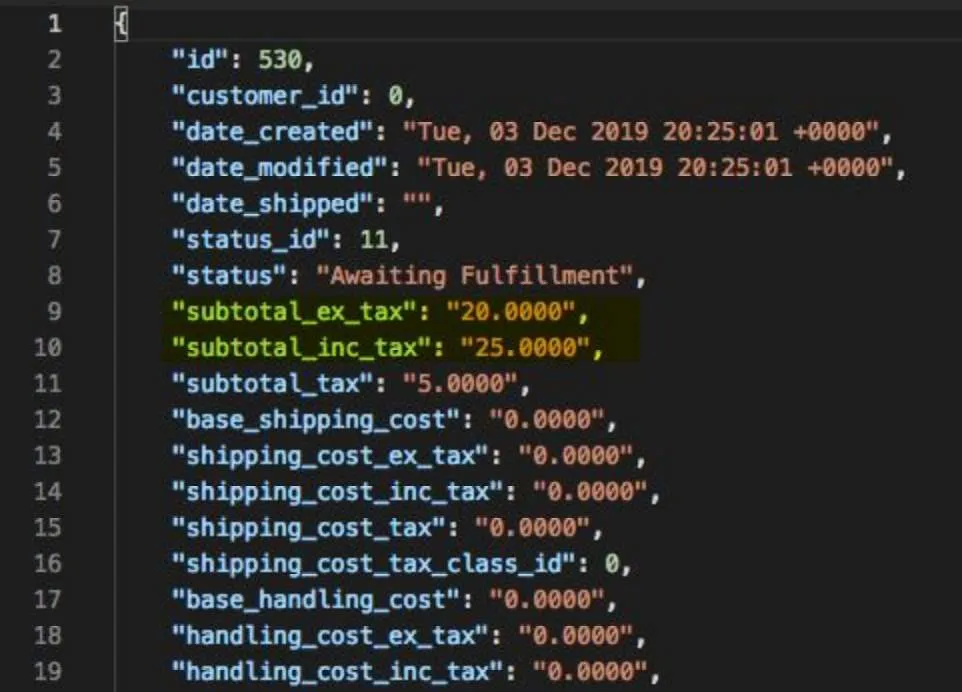
  1. Copy and paste the request below into Postman
https://api.bigcommerce.com/stores/{{store_hash}}/v2/orders
  1. Copy and paste the code below into the body section of Postman
{
"products": [
{
"product_id": {simple_product_id},
"quantity": 1
}
],
"subtotal_inc_tax": 25,
"subtotal_ex_tax": 20,
"billing_address": {
"first_name": "Jane",
"last_name": "Doe",
"company": "",
"street_1": "3131 Main St",
"street_2": "",
"city": "Austin",
"state": "Texas",
"zip": "78704",
"country": "United States",
"country_iso2": "US",
"phone": "",
"email": "jd@email.com"
},
"status_id": 11
}
  1. Replace {simple_product_id} with the ID of a simple product in the store
  2. Select POST next to the request URL
  3. Click the Send button
  4. Observe response

Image

GET All Order Taxes

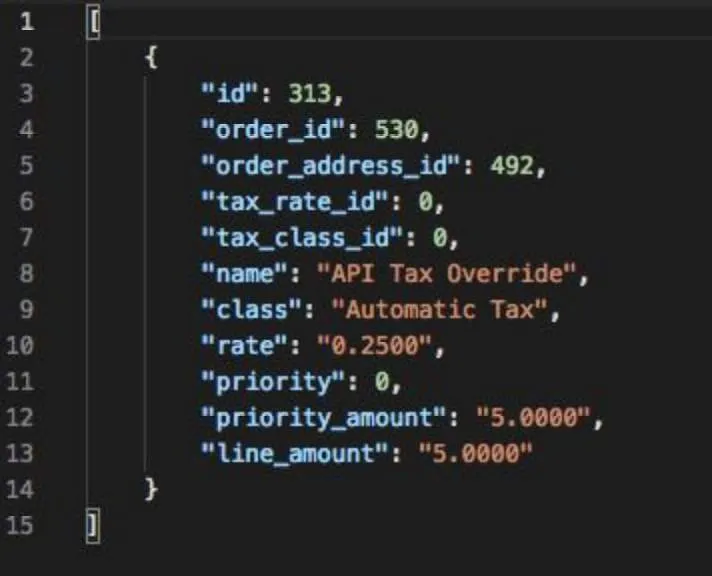
  1. Copy and paste the request below into Postman
https://api.bigcommerce.com/stores/{{store_hash}}/v2/orders/{order_id}/taxes
  1. Replace {order_id} with the order ID
  2. Select GET next to the request url
  3. Click the Send button
  4. Observe the response

Image

GET All Order Statuses

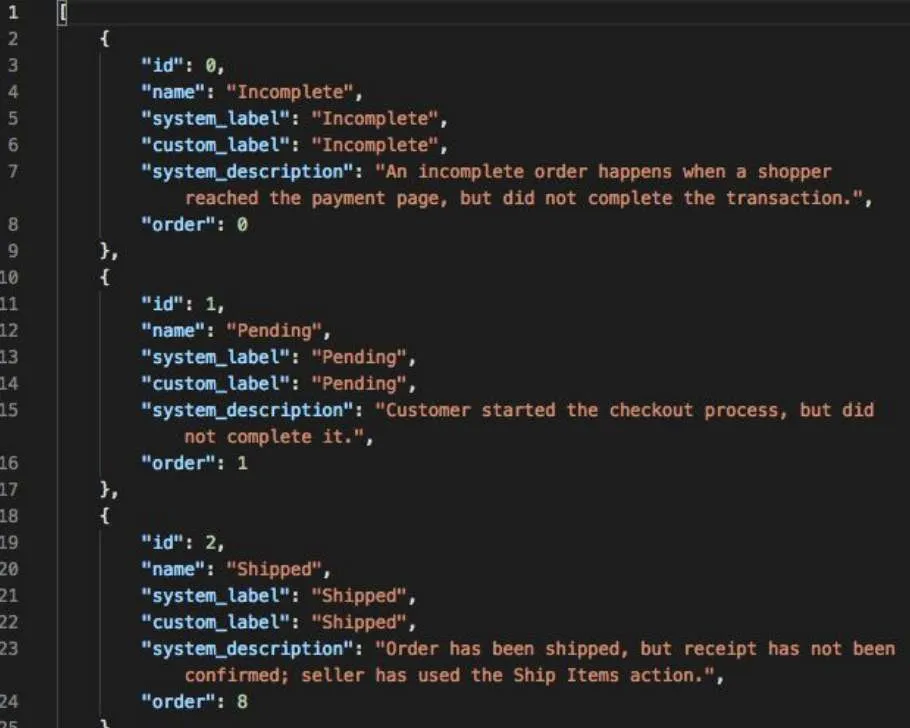
  1. Copy and paste the request below into Postman
https://api.bigcommerce.com/stores/{{store_hash}}/v2/order_statuses
  1. Select GET next to the request URL
  2. Click the Send button
  3. Observe response

Image

GET a Single Order Status By ID

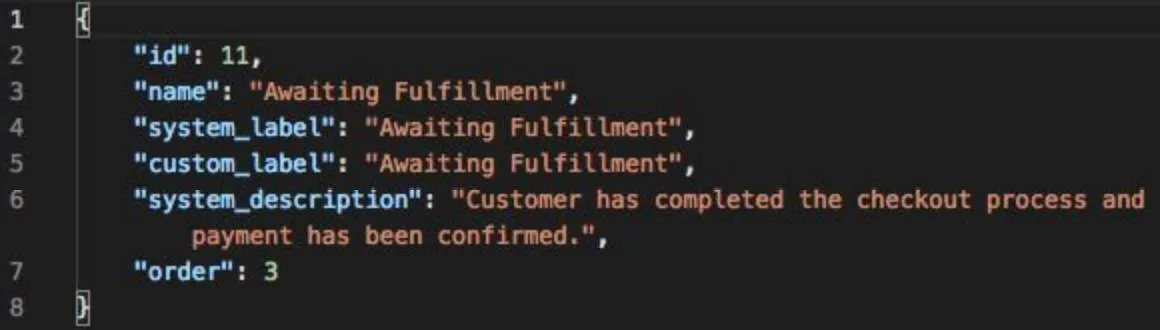
  1. Copy and paste the request below into Postman
https://api.bigcommerce.com/stores/{{store_hash}}/v2/order_statuses/{status_id}
  1. Select GET next to the request url
  2. Click the Send button
  3. Observe the response

Image