

Stencil Objects
Stencil template objects expose dynamic page data. Not all objects are available on every page; which objects are present depends on the page type.
Note: GraphQL can be used as an alternative to retrieve data that is not exposed on a certain page type.
This section reviews how to view a page’s context while developing locally and how to access that context’s data via Handlebars expressions and JavaScript.
Stencil objects are the individual JavaScript objects that are rendered onto a Stencil storefront.
Stencil Theme Objects
Stencil theme objects expose dynamic page data. Not all objects are available on every page; which objects are present depends on the page type. Below is the link to the complete template object reference.
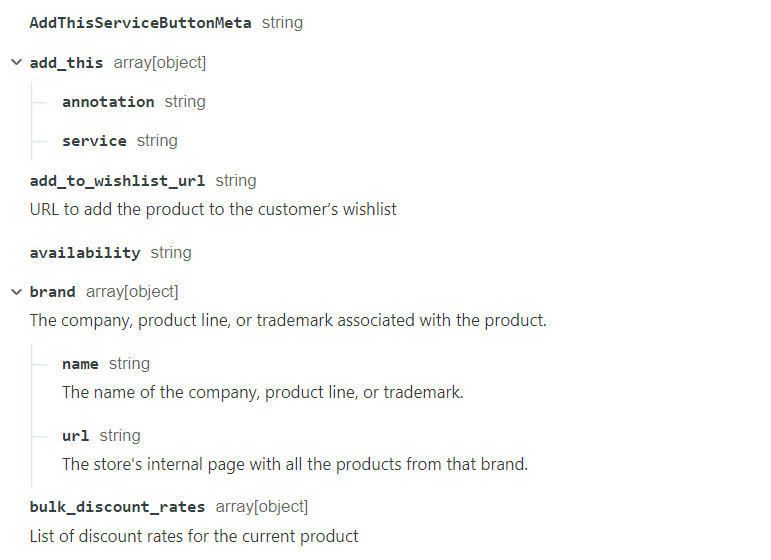
For a complete template object reference, see the Global Objects - Reference Models.
Viewing a Page’s Context
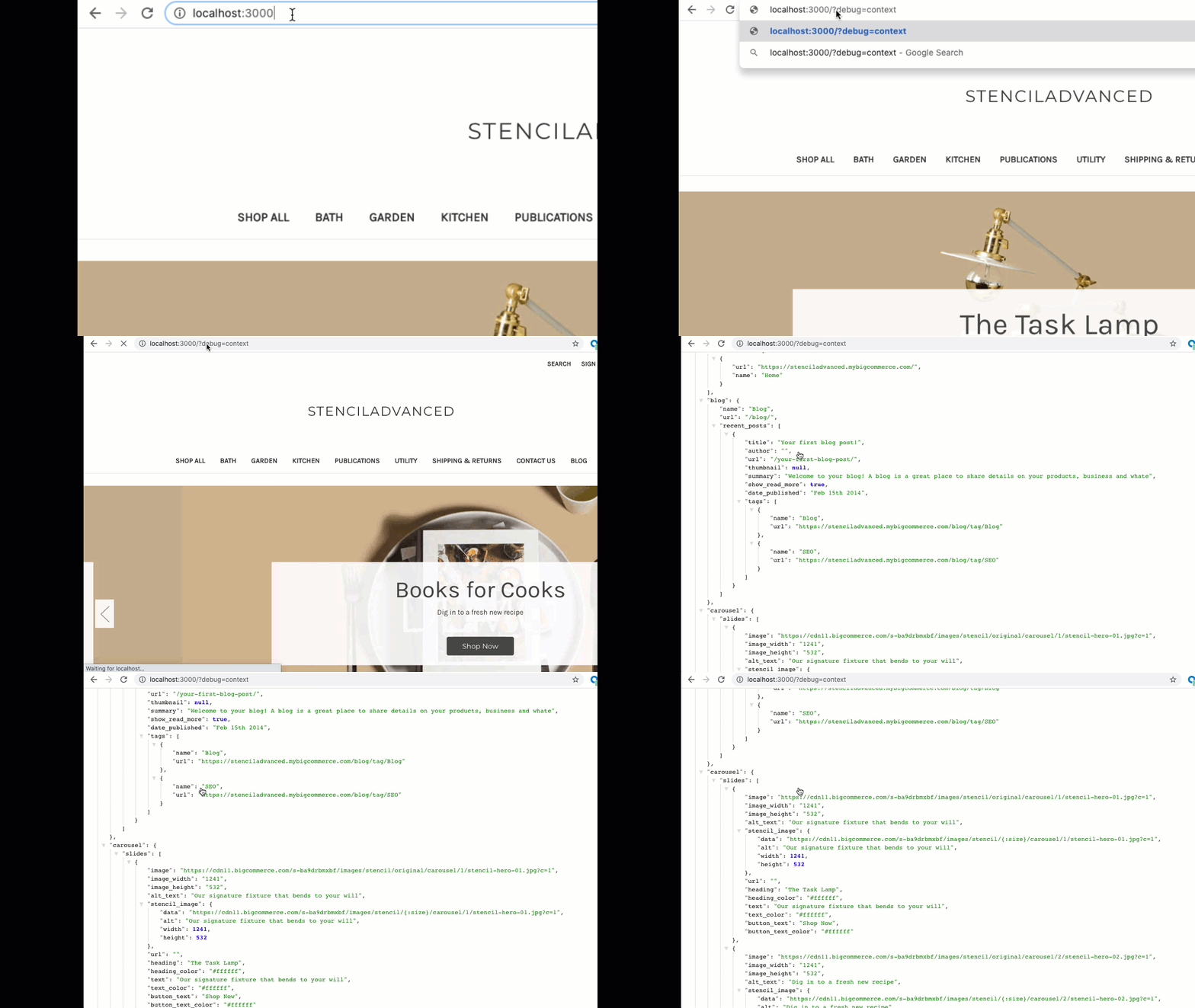
Context is the data available to templates on a page. To view a page’s context while developing locally:
- Get the template context in plaintext JSON for a page served locally by Stencil CLI
- Add debug=context to the URL query string
- Use debug=bar to get the template context JSON output to a rendered page
Example:
http://localhost:3000/?debug=contexthttp://localhost:3000/?debug=bar
The code below is an example of using the fetch API to dump the context to the console:
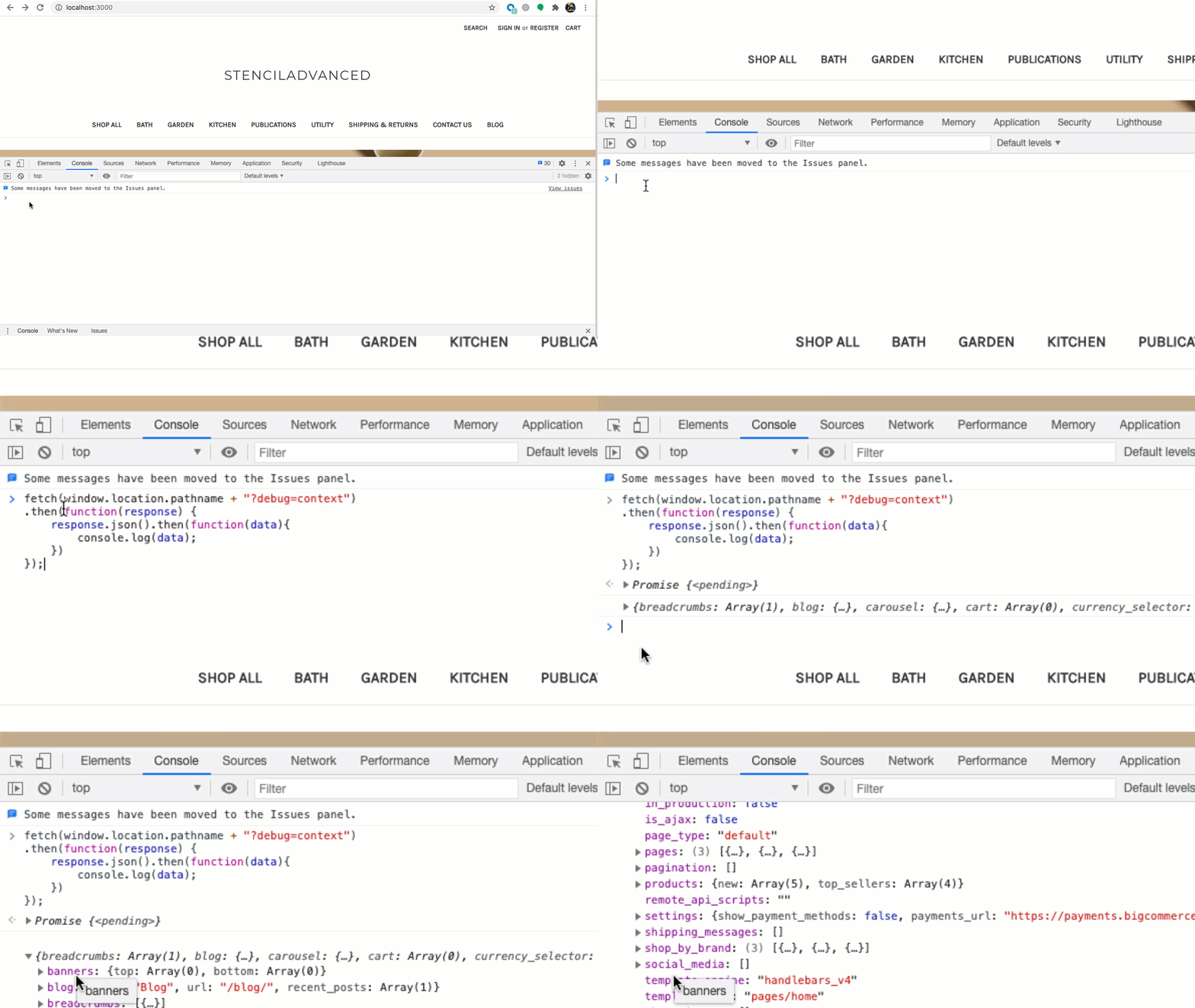
Viewing page context in Console.
Using Handlebars
As a developer, you can use Handlebars syntax to access objects and use them to customize your Stencil theme.
Stencil Objects are categorized as either Global, Common, or Other, which is representative of the object’s scope or where in the theme it can be accessed. Global objects are shared across the entire BigCommerce storefront. Common objects are shared across some but not all pages. Other objects are typically available in the context of a specific page type_.
Below is an example used to access dynamic page data:
Using PageManager JavaScript
JavaScript files in assets/js/theme/ that extend the PageManager class have a context property for accessing the page context.
Example:
To learn more about Stencil and JavaScript see Adding JavaScript to your Stencil Theme.