Cart API
What Is Cart API?
The Cart API lets you create a BigCommerce cart and manage it outside of a BigCommerce storefront. You can manage all the different properties of a cart without any user interaction on the front end. Developers can observe and interact with carts outside of the BigCommerce control panel or storefront.
What can you do with it?
- Replace an abandoned cart
- Populate a cart with your own selection of products and send this cart directly to your customers in email marketing campaigns or social media
- Allow a customer to interact with a pre-built cart outside of the BigCommerce storefront
Carts
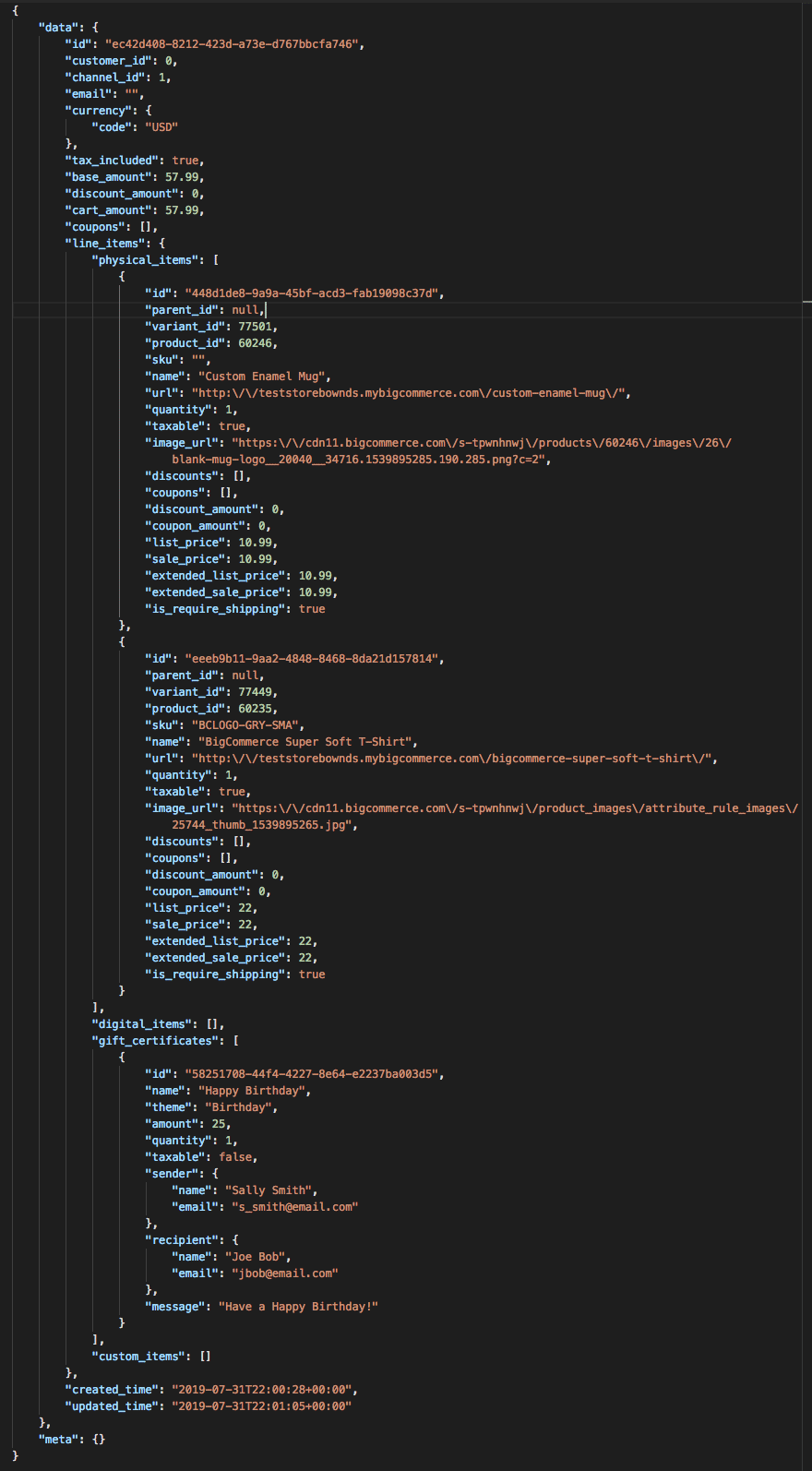
A cart includes a collection of items, prices, discounts, and other items
- Cart ID is generated after a cart has been created
- Cart ID is the same as the checkout ID
- Carts are valid for 30 days from the last modification
Query Parameters
line_items.physical_items.options: The cart returns an abbreviated result. Use this to return physical items product options. Can also be used in a POST to have the extended Cart object returnline_items.digital_items.options: The cart returns an abbreviated result. Use this to return digital items product options. Can also be used in a POST to have the extended Cart object returnconsignments.available_shipping_options: returns a list of shipping optionspromotions.banners: returns a list of available banners
Get a Cart
You can retrieve a cart by sending a GET request to /carts/{cartId}.
Delete a Cart
You can delete a cart by sending a DELETE request to /carts/{cart_id}.
Warning: Deleting a cart is a permanent action and the cart cannot be recovered.
Create a cart
You can create a cart with a POST request to the /carts endpoint. In the request body you must specify the quantity, product_id, and variant_id (if the product has variants) using the line_items_ array.
Add Cart Line Items
Add line items to a cart with a POST request to /carts/{cart_id}/items
Required Fields:
line_itemsobjectcustom_itemsobject - If adding an item that does not already exist in the storegift_certificatesobject - Only if adding a gift certificate for shopper to purchase
Many merchants use this when they want to override the price of a product. This is a common use case with large B2B enterprise merchants; for example, if the prices are stored outside BC and they want to add to cart using prices fetched from external source.
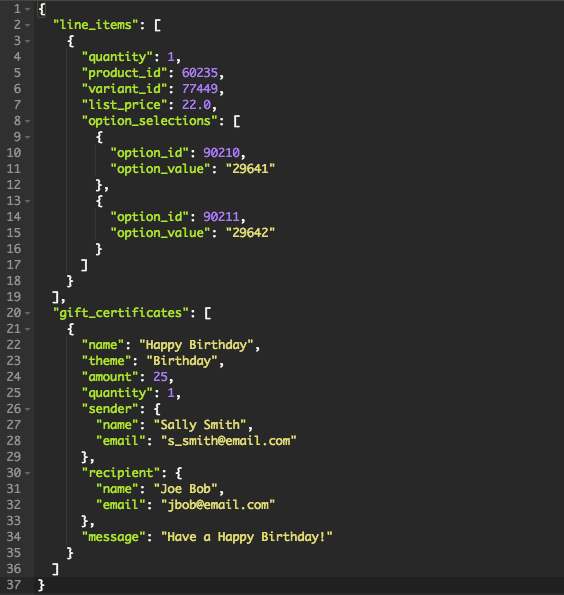
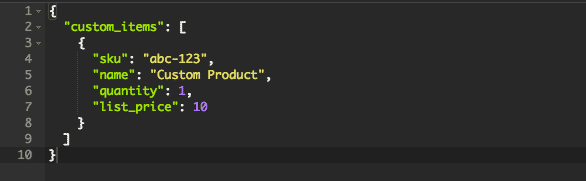
Add Custom Items to a Cart
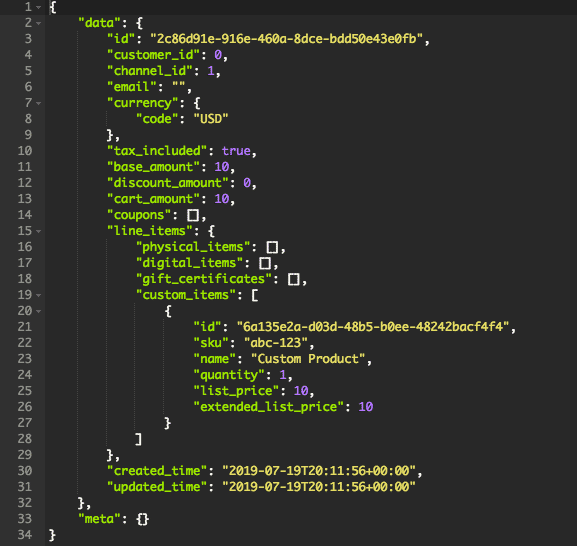
If adding an item that does not already exist in the store, use the custom_items object.
Images are not supported for custom items. Although the API accepts an image_url field, the image does not display on the storefront.
Update a Cart Line Item
Line items can be updated by sending a PUT request to /carts/{cart_id}/items/{item_id}
- Currently only updating the item price and quantity are supported. Updating an item’s price will make that item ineligible for v3 product-level promotions.
- If a variant needs to be changed or updated, the product will need to be removed and added to the cart again with the correct variants using the Add Cart Line Items endpoint.
- Custom items cannot be updated via the API at this time. To update your cart, add a new updated custom item and delete the outdated one. If your cart contains only one item, perform the add operation before the delete operation.
- Deleting all items from the cart will invalidate the cart.
Update Customer ID
A Cart customer_id can be updated with a PUT request to /carts/{cart_id}
- Changing the Cart
customer_idwill remove any promotions or shipping calculations on the cart. These are tied to the customer depending on cart conditions and any customer groups that may be assigned.
Redirect URLs
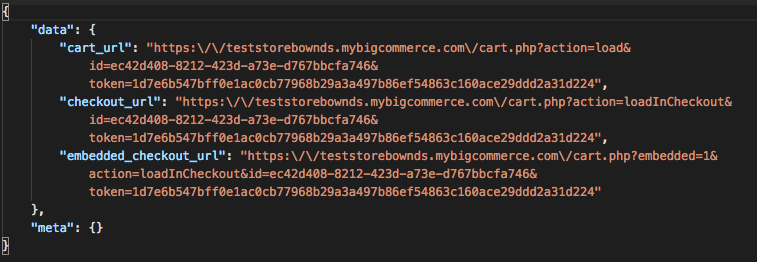
During a POST request for carts, a direct link to a cart can be created by appending redirect_urls to the end of the request.
- Create URLs to route shoppers to the cart or checkout page
- Redirect URLs can be used for embedded checkouts as well as for headless stores
- Each cart redirect URL may only be used once. Once a redirect URL has been visited, it will be invalidated and cannot be used again. If your application requires URLs to be visited more than once, consider generating a fresh one each time you need to restore a cart, and redirecting to the URL from your own application.
- Redirect URLs can be generated only from carts created using the cart API. To restore a cart that was created on the storefront – either by a shopper or the Storefront Cart API–first recreate the cart using the Cart API.
Create a Cart Redirect URL
Create a URL to redirect a shopper to an already created cart by sending a POST request to