For AI agents: a documentation index is available at the root level at /llms.txt and /llms-full.txt. Append /llms.txt to any URL for a page-level index, or .md for the markdown version of any page.
Dev Portal
DocsAPI ReferenceLearnCommunityChangelog
    • Overview
  • Learning Plans
    • Developer Foundations
    • Composable Developer
    • Stencil Developer
    • B2B Developer
  • Courses
        • Mini Use Case - Create a Customized Field
        • Create Custom BigCommerce Templates with React in Stencil
        • Build a Bulk Order Form for BigCommerce Product Variants
    • Learning Changelog
Dev Portal
LogoLogo
On this page
  • Create a Custom Field
  • Customization Results
CoursesStencil AdvancedModule 6: Hands-on Labs

Mini Use Case - Create a Customized Field

Was this page helpful?
Previous

Version Control and Theme Updates

Next

Create Custom BigCommerce Templates with React in Stencil

Built with

Plan: Stencil Developer

Lesson 24 of 28 · 30 min

Solution/Hands-on Lab Activity: Use custom fields on the product color family and use the custom fields in the product filtering and hide custom on products on the product page.

The solution incorporates customization:

  • Customization for: Products
  • Code used: Handlebars

Always make a backup copy of your theme before beginning any customization. Customize and test your copy.

Create a Custom Field

  1. Click Storefront
  2. Click Themes
  3. Select Theme Marketplace
  4. Select Theme Files
  5. Select Edit Theme Files (Warning: You must make a copy …)

The following screen displays:
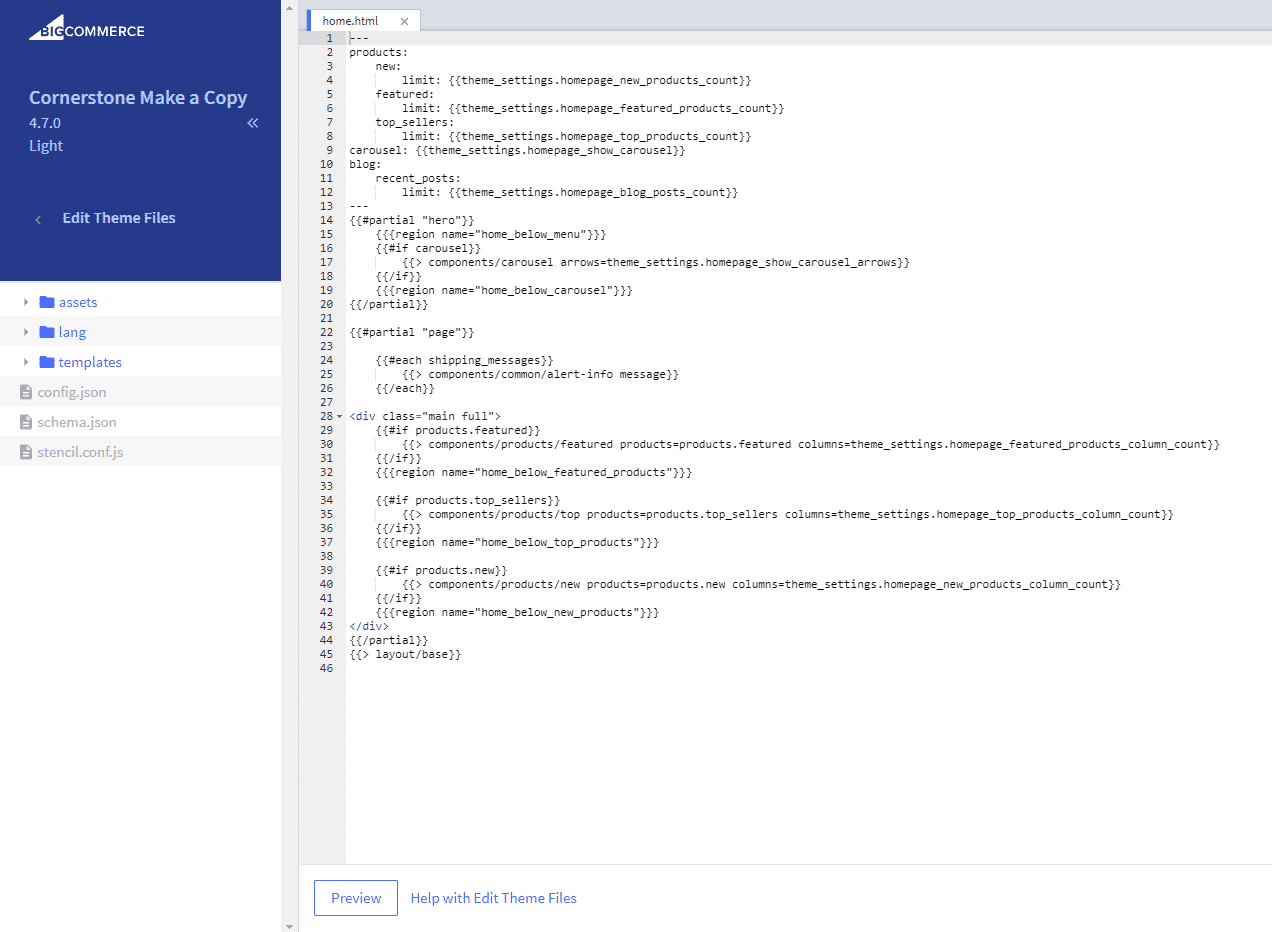
Edit Theme Files

  1. From Templates > Select Products > From Product.View.html
  2. Enter {{#if name "!==" "Color Family"}}
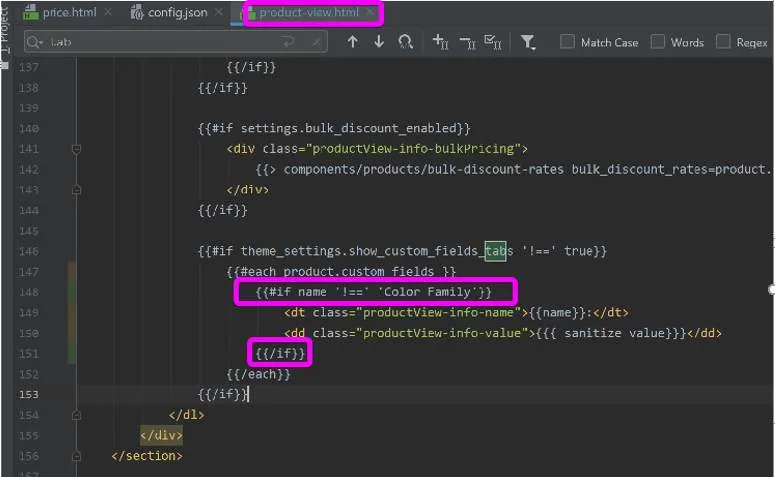
Custom field code

Customization Results

Customization results