B2C Storefront
The B2C storefront MCP server supports both guest and authenticated shopping flows. AI agents can search your product catalog, build a cart, and generate a checkout link on behalf of any shopper. When paired with Storefront Session Sync, the agent operates in the shopper’s existing browser session — carrying their login state, cart, and personalized pricing.
Example prompts
- “Find Nike running shoes size 10 that are under $120.”
- “Show me the top 5 bestsellers in ‘Hoodies’.”
- “What goes well with this jacket?”
- “I’m ready to check out.”
Tools
search_products
Search the storefront product catalog by keyword. Supports cursor-based pagination for browsing large result sets.
Returns a list of matching products including name, description, and available options. When nextCursor is null, there are no more results.
get_product_details
Fetch variants and images for a specific product by ID. Use this after search_products to retrieve the information needed before adding an item to the cart.
Returns product images and available variants with SKUs.
add_item_to_cart
Add a product to the cart. If no cart exists in the current session, one is created automatically.
Returns the updated cart.
update_cart_item
Change the quantity, variant, or options for an existing line item in the cart.
Returns the updated cart.
remove_item_from_cart
Remove a line item completely from the cart. To reduce quantity without removing the item, use update_cart_item instead.
Returns the updated cart.
create_checkout_url
Generate a checkout URL for the cart in the current session. Requires a cart to exist.
No inputs required.
Returns checkoutURL — redirect the shopper to this URL to complete their purchase.
Typical flow
Search for products
Call search_products with a keyword to find matching items. Use cursor to paginate through large result sets.
Get product details
Call get_product_details with the product ID. If the product has options (size, color, etc.), prompt the shopper to choose before proceeding.
Add to cart
Call add_item_to_cart with the selected product, variant, and quantity. A cart is created automatically if one does not already exist.
Typical flow — authenticated shopper
For storefronts using Storefront Session Sync, the agent can operate in the shopper’s existing logged-in session.
Sync the session
Before initializing the MCP connection, call generateSessionSyncToken from the Stencil storefront and pass the token to your agent. The agent includes it as X-Bc-Storefront-Sync-Token on the MCP initialize request. See Storefront Session Sync for the full flow.
Search and browse
Call search_products and get_product_details. For logged-in customers, results reflect customer-specific pricing and catalog availability configured via customer group access rules on the store.
Add to cart
Call add_item_to_cart. If this creates a new cart, the MCP server returns an X-Bc-Mcp-Stencil-Sync-Code header in the response. Forward this code to the browser and call applySessionSyncCode to keep the browser session in sync.
Go to checkout
Call create_checkout_url. The returned URL is a plain <checkoutUrl>/checkout link — it doesn’t carry the session itself. Since the shopper’s browser already holds the authenticated cookies from the synced session, opening that URL in their browser lands them in checkout with their account, saved addresses, and any account-level pricing already applied.
Example
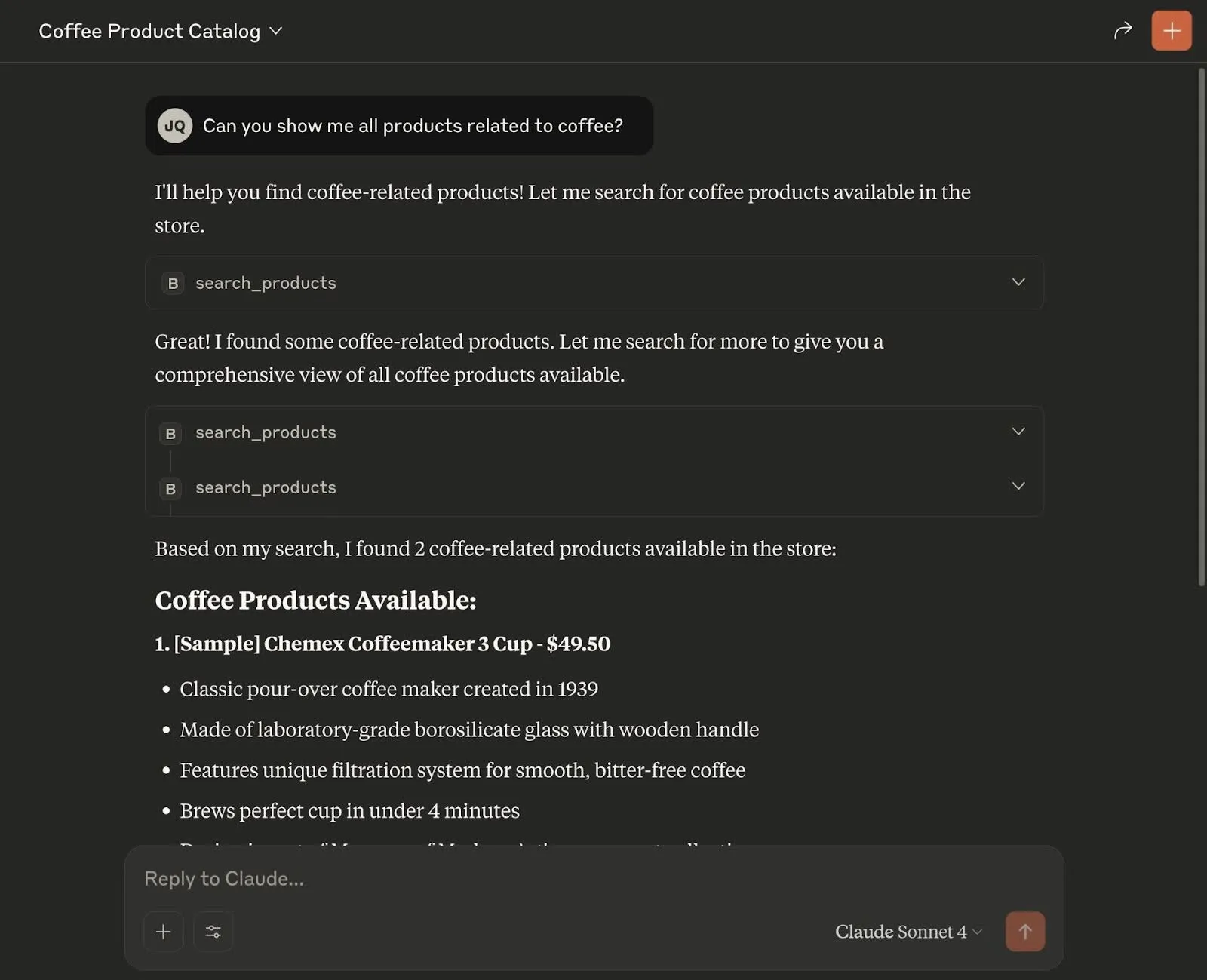
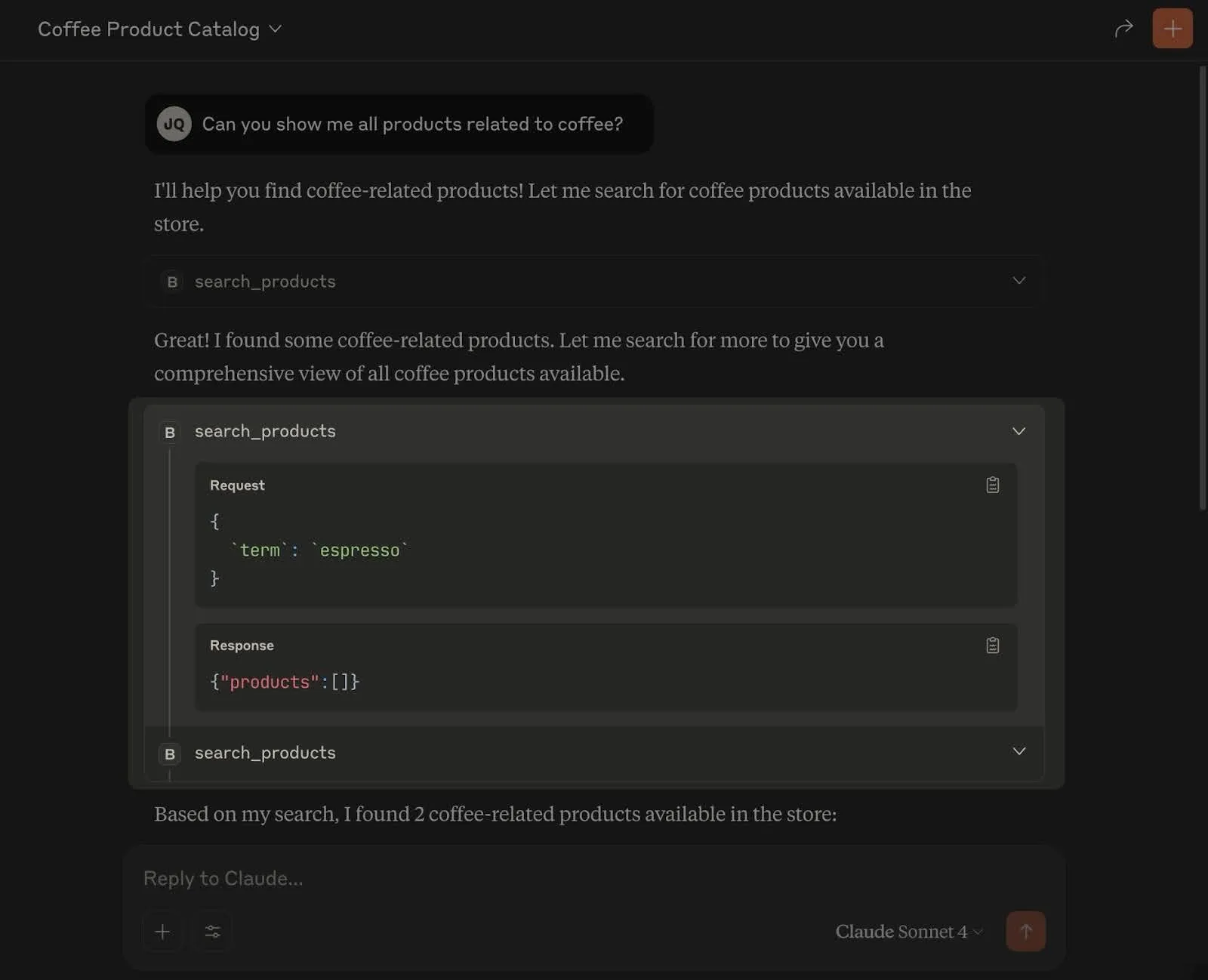
Here is search_products in action inside Claude, searching a sample store for products related to coffee.