> This page is for Developer.
> For clean Markdown of any page, append .md to the page URL.
> For a complete documentation index, see https://docs.bigcommerce.com/llms.txt.
> For AI client integration (Claude Code, Cursor, etc.), connect to the MCP server at https://docs.bigcommerce.com/_mcp/server.
# Implementing WCAG Guidelines - Examples
This article provides Cornerstone code snippets which satisfy current WCAG guidelines or code you can add to meet a WCAG requirement.
## Bypass blocks
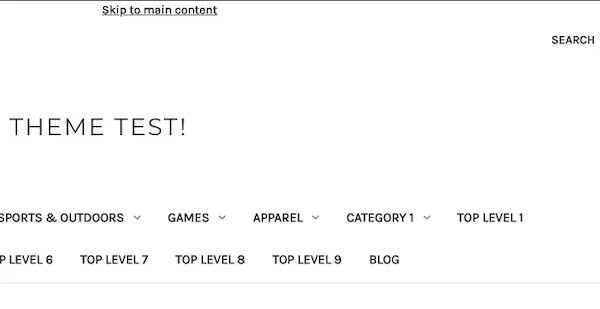
To satisfy the [bypass blocks](https://www.w3.org/TR/WCAG21/#bypass-blocks) WCAG guideline, Cornerstone has a 'Skip to Main' link on each page. You can find this code in `/templates/components/common/header.html`.
```handlebars showLineNumbers={false}
{{lang 'header.skip_to_main'}} {{#if banners.top}}
{{#each (limit banners.top_metadata 1)}}
{{{this.content}}}
{{/each}}
{{/if}}
```
**HTML output**
## Location
To satisfy the [Location](https://www.w3.org/TR/WCAG21/#location) WCAG guideline, Cornerstone provides breadcrumbs on each page. See an example of breadcrumbs in `/templates/components/common/contact-us.html`.
```handlebars showLineNumbers={false}
{{#partial "page"}} {{> components/common/breadcrumbs breadcrumbs=breadcrumbs}}
{{#unless theme_settings.hide_contact_us_page_heading}}
```
**HTML output**

## Unusual Words
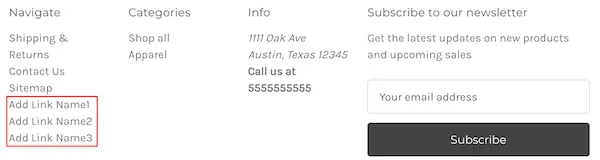
To satisfy the [unusual words](https://www.w3.org/TR/WCAG21/#unusual-words) WCAG guideline, add links to your footer categories section in your theme. We recommend adding links using your store's BigCommerce control panel. Insert a script in the **Storefront** > **Script Manager** field. Example code is provided below. Replace each `/page-link/` and `Add Link Name` with the actual links and names.
```html showLineNumbers={false}
```
**HTML output**